I remember sitting in my home office three years ago, staring at a frozen screen while a hiring manager waited in silence. My internet had spiked, my lighting was atrocious, and instead of discussing my operations background, I spent ten minutes apologizing to a pixelated void. Most of the advice you find online about remote job interview tips is absolute fluff—telling you to “smile more” or “wear a blazer” while ignoring the actual technical friction that can derail a high-stakes conversation. You don’t need a professional studio setup; you just need to stop letting avoidable glitches sabotage your competence.
I’m not here to sell you on some elaborate performance. I’ve spent decades navigating corporate shifts, and I know that clarity beats flash every single time. In this guide, I’m going to give you a few no-nonsense strategies to audit your environment, stabilize your tech, and reclaim your focus. We’re going to cut through the noise and focus on the practical utility of a seamless digital presence. Let’s get your setup sorted so you can actually focus on the conversation, not the troubleshooting.
Table of Contents
Master Your Remote Interview Technical Setup
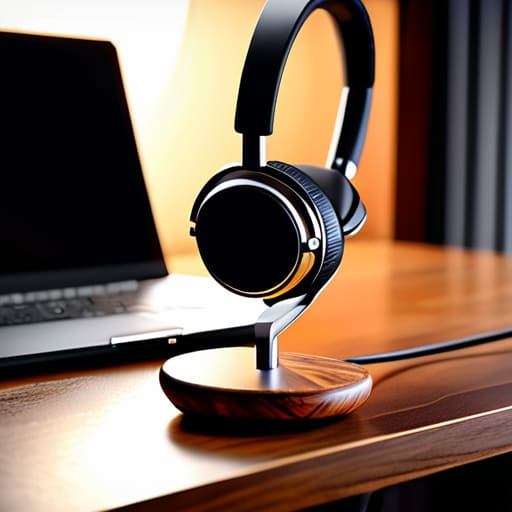
First things first: don’t let a glitchy mic or a frozen screen ruin your shot. I’ve seen brilliant candidates stumble simply because they were fighting their hardware instead of engaging with the recruiter. A solid remote interview technical setup starts with the basics. Test your internet connection, plug in your laptop to a power source, and—this is non-negotiable—use a dedicated headset if you can. Relying on built-in laptop mics often results in that hollow, echoey sound that makes you difficult to listen to.
Once the audio is locked in, look at your environment. You don’t need a studio, but you do need intentionality. Aim for natural lighting for online meetings by facing a window; if the light is behind you, you’ll look like a silhouette in a witness protection program. Keep your background clean and uncluttered. A messy bookshelf or a pile of laundry in the frame is a distraction you don’t need. The goal is to create a professional background for video calls that stays out of the way, allowing the interviewer to focus entirely on your answers rather than your living room. If the tech is invisible, you’ve done your job.
Optimizing Lighting for Online Meetings

Most people treat lighting as an afterthought, but it’s often the difference between looking like a professional and looking like you’re filming a hostage video from a basement. If you’re sitting with a bright window directly behind you, you’ll end up as nothing more than a dark silhouette. To nail your lighting for online meetings, you need to face the light source. Position yourself so the window or your lamp is in front of you, hitting your face directly. This simple shift eliminates harsh shadows and ensures the interviewer can actually see your expressions, which is vital for conveying effective digital body language.
If natural light isn’t an option, don’t panic—just don’t rely on that single, flickering overhead light in your ceiling. It creates “raccoon eyes” by casting deep shadows under your brow. Instead, grab a desk lamp and place it slightly above eye level, angled toward your face. My rule of thumb? Aim for soft, even light. If the glare is too intense, a thin white sheet or even a piece of parchment paper can act as a DIY diffuser. When you look clear and composed, you’ll find it much easier to focus on the conversation rather than worrying about your appearance.
Control the Variables: Five Ways to Minimize Interview Friction
- Treat your background like a professional workspace, not a living room. Clear the clutter—toss that pile of laundry out of frame and find a neutral wall. You want them looking at your face, not your unmade bed.
- Master your audio before the call starts. A decent headset beats your laptop’s built-in mic every single time. If you can’t hear them clearly, you can’t respond effectively, and that’s where the momentum dies.
- Script your “elevator pitch” but don’t read it. I’ve seen too many people stumble because they tried to memorize a monologue. Have three or four key talking points written in your physical notebook, then let the conversation flow naturally from there.
- Watch your digital body language. Since you aren’t in the room, you have to overcompensate slightly. Look directly into the camera lens when you speak—not at your own image on the screen—to simulate actual eye contact.
- Prepare a “Plan B” for connectivity issues. If your Wi-Fi acts up, have your phone ready as a mobile hotspot. Knowing you have a backup prevents that split-second of panic that can derail your confidence.
The Goal of Preparation
“The tech setup isn’t about being a cinematographer; it’s about removing every possible distraction so the only thing they’re judging is your expertise, not your internet connection.”
Marcus Holloway
Cutting Through the Static
At the end of the day, mastering the remote interview is about removing the technical friction that stands between you and the person on the other side of the screen. We’ve covered the essentials: securing your gear, stabilizing your connection, and ensuring your lighting doesn’t make you look like you’re filming from a basement. When you treat your digital environment with the same respect you would a physical boardroom, you stop worrying about the glitches and shadows and start focusing on the substance of your answers. The goal isn’t to be a tech wizard; it’s to ensure that your setup is so reliable it becomes entirely invisible to the interviewer.
Once you’ve automated the logistics and smoothed out the technical wrinkles, you’re left with the only thing that actually matters: your expertise and your character. Don’t let the medium distract you from the mission. A webcam is just a window, and a headset is just a tool. Use the time you saved by prepping your environment to breathe, center yourself, and show up as your best self. You’ve handled the complexity; now, go out there and simply have the conversation.
Frequently Asked Questions
What do I do if my internet connection starts lagging halfway through the interview?
Don’t panic. If the lag hits, stay calm—frantic energy is worse than a bad connection. First, try the “phone pivot”: immediately switch to your smartphone using cellular data as a hotspot. It’s often more stable than a struggling Wi-Fi signal. If you can’t switch instantly, apologize briefly, turn off your video to save bandwidth, and focus on the audio. Keep the conversation moving; don’t let a technical hiccup derail your professional composure.
Should I still dress in a full suit, or is business casual enough for a video call?
Ditch the full suit. Unless you’re interviewing for a partner position at a white-shoe law firm, a heavy blazer on camera often looks like you’re trying too hard. Aim for business casual—a crisp button-down or a high-quality knit. The goal is to look polished and intentional, not stiff. Dress for the role you want, but keep it practical. If you feel uncomfortable in your clothes, it’ll show in your posture.
How can I prevent myself from looking like I'm reading from a script on my screen?
Stop staring at your notes. If your eyes are glued to the bottom of the screen, the interviewer will feel it—it kills the connection. Instead, use a teleprompter app or stick a few bullet points on a Post-it note right next to your camera lens. This keeps your gaze near the “eye contact” zone. Don’t write full sentences; just use keywords to trigger your memory. It keeps you conversational, not robotic.
Is it okay to have a few personal items in the background, or should I stick to a plain wall?
A plain wall is safe, but it can feel sterile—like you’re interviewing from a holding cell. I prefer a bit of context. A well-curated bookshelf or a single piece of art adds depth and a touch of personality without being a distraction. The rule is simple: if an object invites a question or pulls the interviewer’s eyes away from your face, ditch it. Keep the background intentional, tidy, and secondary to you.
