I spent two decades in the corporate grind, watching brilliant people burn out not because they lacked talent, but because they were drowning in unnecessary friction. We live in an era where digital noise is constant, and if you aren’t careful, your tools will end up managing you instead of the other way around. I’ve spent years testing everything from high-end hardware to niche peripherals, searching for the best productivity gadgets that actually serve a purpose rather than just adding more clutter to my desk. Most “smart” devices are just expensive distractions, but when you find the right ones, they act like a silent partner in your workflow.
In this list, I’m cutting through the marketing hype to bring you eight specific tools that have earned a permanent spot in my kit. These aren’t just shiny toys; they are practical investments designed to automate the mundane and protect your mental bandwidth. Whether you are looking to streamline your deep-work sessions or simply want to stop fighting your own setup, these selections will help you reclaim your time. Let’s get to the utility.
Table of Contents
The Mechanical Keyboard Upgrade
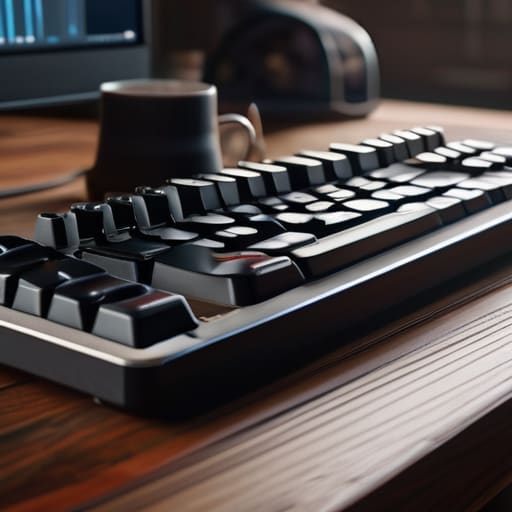
Most people settle for the mushy, membrane keys that come pre-installed on their laptops. It’s a mistake. I spent years typing on subpar hardware before I realized that the tactile feedback of a high-quality mechanical keyboard isn’t just about “feel”—it’s about reducing typing errors and increasing your overall speed. When every keystroke is intentional, you stop fighting your tools and start working with them.
Noise-Canceling Headphones

In my consulting work, I’ve learned that focus is a fragile resource. One loud conversation in a coffee shop or a humming HVAC system can shatter a deep work session in seconds. High-end noise-canceling headphones are my primary defense against the unpredictable chaos of modern workspaces. They don’t just play music; they create a portable sanctuary.
The E-Ink Tablet
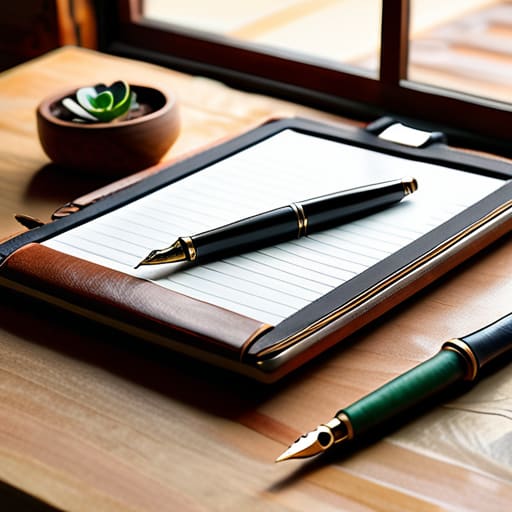
I still carry my fountain pen and notebook everywhere, but there are times when a physical page just isn’t practical. That’s where an E-ink tablet comes in. Unlike a standard tablet, there’s no blue light to fry your retinas and no notifications to hijack your attention. It’s a distraction-free environment designed for one thing: thinking.
Dual Monitor Setup
If you are still working off a single laptop screen, you are working with one hand tied behind your back. I see professionals lose hours every week to the “tab dance”—constantly switching between windows just to cross-reference a single piece of data. A second monitor isn’t a luxury; it is a fundamental requirement for efficient multitasking.
High-Capacity Power Bank
Nothing kills momentum faster than seeing a “10% battery remaining” warning right when you’re in the zone. I’ve sat through enough dead laptops in airports to know that a reliable power bank is an essential piece of insurance. You shouldn’t be tethered to a wall outlet like a prisoner; you should have the freedom to move.
Ergonomic Vertical Mouse
We spend the majority of our lives gripping a device, and most of us are doing it in a way that is fundamentally unnatural. A standard mouse forces your forearm into a twisted position that leads to long-term strain. Switching to a vertical mouse was one of the best decisions I made for my long-term health.
Smart Lighting Systems
Most home offices are lit by a single, harsh overhead bulb that makes everything feel sterile and draining. I’ve found that controlling your light temperature can significantly impact your circadian rhythm and focus. Using smart bulbs allows you to set a cool, bright tone during your high-intensity morning sessions and a warmer, softer light as you wind down.
A Dedicated Task Timer
We are all prone to the “sunk cost” fallacy of time—getting sucked into a minor task for two hours because we forgot to check the clock. A physical, dedicated timer on your desk is a brutal but necessary way to stay grounded. It’s much more effective than a phone app because it doesn’t come with tempting distractions.
The Philosophy of Utility
A gadget isn’t a productivity tool if you spend more time managing it than it spends saving you time. If it doesn’t remove friction from your day, it’s just more digital clutter.
Marcus Holloway
The Bottom Line
At the end of the day, these gadgets aren’t about collecting shiny new toys or chasing every tech trend that hits your feed. The goal is much simpler: we are looking for tools that actually remove friction from your daily workflow. Whether it’s a mechanical keyboard that makes typing feel less like a chore, a noise-canceling headset that creates an instant office in a crowded cafe, or a smart hub that handles the repetitive scheduling tasks, every piece of gear should earn its keep. If a device doesn’t help you reclaim your mental bandwidth or save you at least ten minutes of mindless busywork, it’s just more clutter on your desk. Focus on utility over novelty, and only invest in the tools that solve a specific, recurring problem in your life.
I’ve spent enough years in corporate offices to know that you can’t automate your way out of a bad strategy, but you can certainly stop letting small, annoying tasks drain your energy. Technology should serve you, not the other way around. Use these tools to automate the mundane, clear the digital noise, and protect your focus like it’s your most valuable asset—because it actually is. Once you get the logistics of your life running on autopilot, you’ll finally have the space to do the work that actually matters. Now, put the screen away and get to it.
Frequently Asked Questions
Are these gadgets worth the investment if I'm already working with a limited budget?
Look, I’m a pragmatist. If you’re tight on cash, don’t go out and buy everything on this list just because it looks sleek. Start with the one tool that solves your biggest daily bottleneck. If a $50 gadget saves you three hours of frustration every week, it pays for itself in a month. If it’s just a shiny distraction? Skip it. Invest in utility, not novelty. Focus on ROI, even if that ROI is just your sanity.
How do I avoid the trap of buying more "productivity" tools that actually end up becoming more distractions?
The trap is easy to fall into: we mistake “organizing” for “doing.” I call it productivity theater. Before you hit ‘buy’ on that new app or gadget, ask yourself one question: Does this solve a specific, recurring friction point in my workflow, or am I just seeking the dopamine hit of a new shiny toy? If it requires more time to manage the tool than the tool saves you, put it back. Stick to the fundamentals.
Which of these items are best suited for a remote setup versus a traditional office environment?
It depends on where you’re fighting the friction. For a remote setup, prioritize the high-utility tech that creates a boundary between “home” and “work”—think noise-canceling gear and dedicated ergonomic tools. In a traditional office, focus on the portable essentials: the gadgets that streamline your workflow without cluttering a shared desk. My rule of thumb? If it automates a repetitive task, it’s worth the space, regardless of your zip code.
How much time will I actually spend learning these new tools versus just getting back to my real work?
Look, I get the skepticism. You don’t want to trade one form of busywork for another. Here’s the reality: if a tool requires a manual the size of a novel, it’s not a tool; it’s a distraction. I only recommend things with a shallow learning curve. You might lose an hour or two setting them up, but if they save you ten minutes a day, you’ve broken even within a month. Stick to the basics first.
