I spent fifteen years in corporate boardrooms watching people buy expensive, color-coded planners and subscription-based productivity apps, convinced that a new piece of software would finally solve their burnout. It’s a lie. Most of these “hacks” are just more digital clutter designed to make you feel busy while you’re actually spinning your wheels. Real time management at work isn’t about adding more layers of complexity or managing every single minute of your day like a machine; it’s about ruthlessly eliminating the friction that keeps you from doing the work that actually moves the needle.
I’m not here to sell you a lifestyle brand or a complicated system that requires a manual to understand. I’ve spent two decades in the trenches, from high-stakes operations to freelance consulting, and I’ve learned that the best systems are the ones you can actually maintain without losing your mind. In this guide, I’m going to show you how to automate the mundane and build a structure that protects your mental bandwidth. We’re going to cut through the fluff and focus on practical, high-utility tactics that give you your time back.
Table of Contents
Using the Eisenhower Matrix for Productivity Without the Fluff

Most people treat their to-do lists like a junk drawer—everything is shoved in, and nothing is actually useful. If you’re looking for a way to stop reacting to every notification and start actually driving your day, you need the Eisenhower Matrix for productivity. It’s a simple four-quadrant system that forces you to categorize tasks by urgency and importance. I use this myself every morning before I even touch my laptop; it keeps me from falling into the trap of “productive procrastination,” where you spend three hours clearing out easy, meaningless emails just to avoid the one big project that actually moves the needle.
The trick is to be ruthless with your categorization. Quadrant one is your “do it now” zone—crises and hard deadlines. Quadrant two, however, is where the real value lives. This is for long-term planning and deep work. If you aren’t spending enough time here, you’ll spend your entire career putting out fires. By applying these effective daily scheduling principles, you stop being a slave to the loudest person in your inbox. Stop treating every minor interruption as an emergency. Focus on the important, delegate or delete the rest, and let the noise fade into the background.
Effective Daily Scheduling to Kill the Chaos
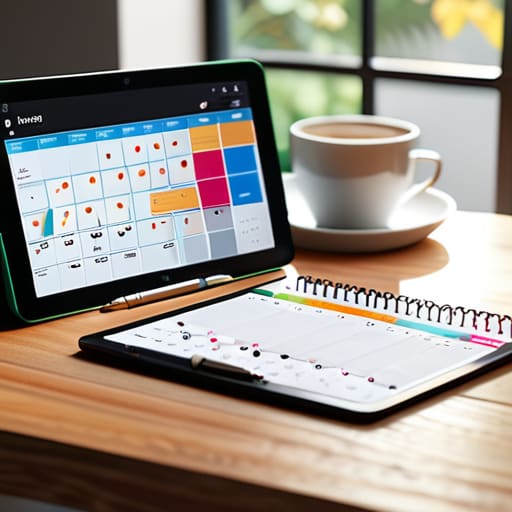
Once you’ve categorized your tasks using the Eisenhower Matrix, you’re left with a list of priorities, but a list isn’t a plan. Most people fail here because they treat their to-do list like a wish list rather than a roadmap. To actually execute, you need to move away from reactive working and embrace time blocking techniques. Instead of letting your inbox dictate your morning, carve out specific, non-negotiable chunks of time for your high-leverage tasks. If it isn’t on the calendar, it doesn’t exist.
I’ve found that the most common pitfall in effective daily scheduling is the “buffer fallacy”—the idea that you can jump from one meeting to the next without breathing room. You can’t. If you schedule your day back-to-back, one minor crisis will derail your entire afternoon. I always build in fifteen-minute buffers between blocks to handle the inevitable friction of the workday. This isn’t just about being organized; it’s about protecting your mental bandwidth from the constant context-switching that drains your energy. Treat your schedule like a fortress, not a suggestion.
Five Ways to Stop Reacting and Start Executing
- Kill the notification loop. Every time your phone buzzes or a Slack ping interrupts your flow, you lose twenty minutes of deep cognitive recovery. Turn off everything that isn’t a direct, urgent human interaction. If it can wait an hour, let it wait.
- Batch your administrative rot. Don’t answer emails one by one as they trickle in; that’s a recipe for a fragmented brain. Set two specific windows—say, 10:00 AM and 4:00 PM—to handle all correspondence. Outside those windows, the inbox stays closed.
- Apply the ‘Two-Minute Rule’ to your inbox, but with a caveat. If a task takes less than two minutes, do it immediately to get it out of your mental RAM. If it takes longer, it goes into your structured schedule, not your inbox. Stop using your email as a to-do list; it’s a terrible filing system.
- Audit your meetings before you accept them. If there is no clear agenda and no defined outcome, you aren’t participating in a meeting; you’re participating in a time sink. Ask for the objective upfront. If the meeting can be an asynchronous update, suggest that instead.
- Use ‘Time Blocking’ for your hardest tasks. I don’t care how fancy your digital calendar is; if you don’t carve out a dedicated, non-negotiable block of time for your most complex work, someone else will fill that space with their trivial priorities. Protect your deep work like it’s your most valuable asset—because it is.
The Real Cost of Busywork
“Stop treating your calendar like a graveyard for tasks you don’t actually care about. Time management isn’t about squeezing more minutes into your day; it’s about ruthlessly protecting the hours that actually move the needle.”
Marcus Holloway
Cutting Through the Noise

At the end of the day, time management isn’t about squeezing every last drop of productivity out of your soul like some corporate machine. It’s about the systems we discussed: using the Eisenhower Matrix to separate the signal from the noise and building a schedule that actually protects your focus rather than just filling space. We’ve looked at how to categorize your tasks and how to structure your day to avoid the constant, draining cycle of reactive firefighting. If you implement even half of these adjustments, you’ll find that you aren’t just moving faster; you’re moving with intentionality.
My advice is simple: don’t wait for the perfect software or the “right” moment to start. Grab your notebook, pick one method, and test it. The goal isn’t to become a productivity guru; the goal is to reclaim your mental bandwidth so you can walk away from your desk at the end of the day without feeling like you’ve been running on a treadmill. Automate the mundane, kill the chaos, and leave room for the things that actually make life worth living. Let’s get to work.
Frequently Asked Questions
How do I actually figure out which tasks are "urgent" versus just "loud" when everything feels like a priority?
The “loud” tasks are the ones screaming for attention—the pinging Slack messages, the “quick” questions, the endless email threads. They feel urgent because they’re noisy, not because they’re important. To tell the difference, look at the consequences. If you don’t do it right now, does a project fail, or do you just feel slightly guilty? If it’s just guilt, it’s noise. Ignore the noise. Focus on the work that actually moves the needle.
What do I do when my boss or a client keeps dropping "emergency" tasks into my schedule that break my entire plan?
The “emergency” is usually just someone else’s lack of planning. When a client drops a bomb on your schedule, don’t just react; negotiate. I use a simple rule: “I can pivot to this immediately, but it will push [Task X] to tomorrow. Which is the priority?” Force them to see the trade-off. If you don’t define the cost of the interruption, they’ll keep assuming your time is infinitely elastic. Protect your bandwidth.
I've tried the Eisenhower Matrix before, but it feels too rigid for a job that changes every hour; is there a more flexible way to adapt?
I get it. The Matrix works in a vacuum, but real-world operations are rarely that tidy. If your day is a moving target, stop trying to categorize every tiny task and switch to “Time Blocking with Buffer Zones.” Instead of rigid boxes, carve out chunks of time for specific types of work, but leave 20% of your day completely unallocated. That’s your margin for the inevitable fires. Plan for the chaos, don’t fight it.
How much of my day should actually be dedicated to deep work versus the inevitable administrative overhead?
Look, if you’re spending more than 30% of your day on administrative overhead, you aren’t working; you’re just managing your own chaos. Aim for a 70/30 split. Reserve your peak cognitive hours for deep work—the heavy lifting that actually moves the needle. Treat the administrative tasks like the maintenance on one of my old synths: necessary, but if you let them take over, the whole system breaks down. Automate the noise so you can focus on the signal.
