I remember sitting in my home office last Tuesday, staring at a blinking cursor and a locked screen, feeling that familiar, hollow pit in my stomach. I’d been locked out of my primary business account because a password manager had decided to go on strike, and suddenly, my entire workflow was paralyzed. It wasn’t a massive hack or a sophisticated cyber-attack; it was just the sheer, exhausting friction of modern security. Most people think they need a degree in computer science to secure their digital lives, but they get caught up in the jargon. When people ask me, “what is two step verification,” they aren’t looking for a technical manual; they’re looking for a way to stop worrying about their data without adding twenty minutes of annoyance to their morning routine.
I’m not here to sell you on expensive, enterprise-grade security suites that no one actually uses. My goal is to strip away the complexity and show you how to build a digital perimeter that actually works. I’ll give you the straight truth on how to set up these systems so they protect your time as much as your identity. We’re going to focus on low-friction solutions that automate your defense, allowing you to get back to the work that actually matters.
Table of Contents
Multi Factor Authentication Explained Without the Fluff
Look, let’s strip away the technical jargon. At its core, multi-factor authentication is just about adding more than one way to prove you are who you say you are. Most people rely on a single password, which is essentially like locking your front door but leaving the key under the mat. By adding a second layer—something you know (your password) and something you have (your phone or a security key)—you make it significantly harder for anyone to break in. It is the most efficient way of preventing unauthorized access without needing a degree in computer science.
When people ask for multi-factor authentication explained in plain English, I tell them to think of it as a two-stage checkpoint. If a hacker manages to steal your password through a data breach, they still hit a dead end because they don’t have that second piece of the puzzle. You’ll often face a choice between an authenticator app vs SMS codes. While text messages are better than nothing, an app is generally more secure and faster. My advice? Skip the SMS if you can; it’s less friction and much more reliable for protecting online accounts in the long run.
Preventing Unauthorized Access Before It Wreaks Havoc

Most people wait until they’ve been locked out of their bank account or email to start caring about security. By then, the damage is done. Preventing unauthorized access isn’t about becoming a cybersecurity expert; it’s about building a simple, automated barrier that works while you sleep. Think of it as a deadbolt on your digital front door. If a hacker manages to steal your password through a data breach or a clever phishing scam, they’re still stuck at the entrance because they don’t have that second piece of the puzzle.
When you start looking into how to enable 2FA across your most important platforms, you’ll notice a few different paths you can take. You’ll likely face the classic debate of authenticator app vs SMS. While getting a text code is certainly better than nothing, it’s the least secure of the bunch because of how easily phone numbers can be hijacked. If you want to truly minimize friction while maximizing defense, I recommend moving toward an authenticator app. It’s faster, more reliable, and keeps your security localized to your physical device, effectively cutting out the middleman.
Five Low-Friction Ways to Lock Down Your Accounts
- Use an authenticator app instead of SMS. Text messages can be intercepted through SIM swapping; an app like Authy or Google Authenticator stays on your physical device, which is much harder to hack remotely.
- Prioritize hardware security keys if you handle sensitive data. A physical USB key like a YubiKey is the gold standard. It’s a one-tap solution that provides a level of protection a text code simply can’t match.
- Print out your backup codes immediately. When you set up 2FA, most services provide a list of one-time use recovery codes. Don’t leave them in your email; print them out and put them in your physical notebook or a secure safe.
- Audit your “remember this device” settings. It’s convenient to skip the extra step on your home laptop, but don’t let that habit extend to public computers or shared tablets. Keep the friction where it belongs: on devices you don’t fully control.
- Centralize your recovery methods. Ensure your secondary email and phone number are up to date across all platforms. There is nothing more frustrating than being locked out of your own digital life because you forgot to update a contact method three years ago.
## The Bottom Line on Security
“Think of two-step verification not as a digital hurdle, but as a deadbolt for your digital life. It’s a small, momentary friction that prevents a massive, permanent headache later on.”
Marcus Holloway
Securing Your Digital Perimeter
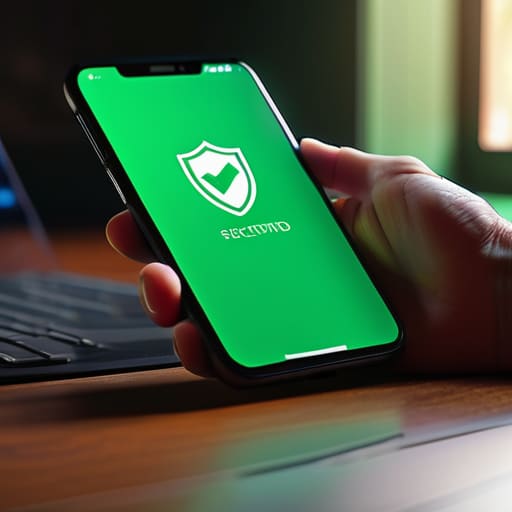
At the end of the day, two-step verification isn’t about adding more chores to your to-do list; it’s about building a reliable safety net. We’ve covered how multi-factor authentication acts as a vital second line of defense and why waiting until after a breach to secure your accounts is a losing game. By moving away from the “password-only” mindset and integrating tools like authenticator apps or hardware keys, you are effectively eliminating the easiest paths for hackers to exploit. It takes a few extra seconds during login, but that’s a small price to pay for the peace of mind that comes with knowing your data isn’t just sitting there waiting to be snatched.
My philosophy has always been about reducing friction, and while adding a step might feel like more work initially, the real friction comes from the chaos of a stolen identity or a locked bank account. Don’t let the complexity of modern security paralyze you. Start with your most critical accounts—your email, your primary bank, and your main social media—and automate your defense one step at a time. Once you set these protocols in place, you can stop worrying about the “what ifs” and get back to focusing on the things that actually deserve your attention. Control your digital environment before it starts controlling you.
Frequently Asked Questions
If I lose my phone, am I locked out of my accounts forever?
The short answer is: not if you’re prepared. If you rely solely on a single device for your codes, you’re asking for trouble. I always tell my clients to set up “backup codes” or recovery keys—think of them as the physical spare key to your digital house. Print them out, put them in a safe, or store them in a secure, offline location. Don’t let a lost phone become a permanent lockout.
Does using 2FA actually slow down my workflow, or is it just a hassle?
Look, I get it. Every extra click feels like a tax on your focus. If you’re manually typing in six-digit codes every twenty minutes, yes, it’s a hassle. But if you use a hardware key or a push notification on your phone, the friction is negligible. I view it as a small upfront investment in peace of mind. It’s much faster to tap “Approve” than it is to spend a weekend recovering a stolen identity.
Which method is better: getting a text code or using an authenticator app?
If you’re looking for the path of least resistance, the text code wins. It’s easy, and you don’t have to learn a new interface. But if you actually care about security, use an authenticator app. SMS is vulnerable to “SIM swapping”—basically, a hacker tricks your carrier into rerouting your texts to their phone. An app stays local to your device. Use the app for your bank and email; use text for the low-stakes stuff.
Is it worth turning this on for every single site, or should I prioritize?
Don’t burn yourself out trying to secure every single forum and newsletter you’ve ever joined. That’s a recipe for friction, and friction leads to people giving up.
