I was sitting at my workbench last Tuesday, trying to recalibrate the oscillators on a vintage Juno-60, when my smart lights decided to strobe like a cheap disco because of a botched firmware update. It was a perfect, frustrating reminder of why most people fail when they try to figure out how to set up a smart home. We’ve been sold this idea that “smart” means having twenty different apps to control a single lightbulb, but that isn’t intelligence—it’s just digital clutter. If your technology requires more maintenance than the actual task it’s supposed to simplify, you haven’t built a smart home; you’ve built a second job.
I’m not here to sell you on a futuristic utopia or a list of expensive gadgets you’ll forget you own by next month. Instead, I’m going to show you how to build a system that actually works in the background. We’ll focus on selecting a central ecosystem, prioritizing reliable connectivity, and automating the repetitive friction points of your daily routine. My goal is to help you get these systems running smoothly so you can stop fiddling with your phone and get back to what actually matters.
Table of Contents
Guide Overview
Tools & Supplies
- Smartphone (to install control apps)
- Wi-Fi Router (to provide network connectivity)
- Screwdriver (for mounting hardware or switches)
- Smart Hub (1 unit)
- Smart Bulbs or Plugs (3-5 units)
- Smart Speaker (1 unit)
Step-by-Step Instructions
- 1. Start with a solid foundation: your Wi-Fi. I’ve seen too many people buy expensive smart bulbs only to have them drop offline every twenty minutes because their router is struggling. Before you buy a single gadget, ensure your network can handle the extra traffic. If you’re living in a larger house, invest in a mesh Wi-Fi system to ensure coverage reaches every corner.
- 2. Pick your central command. You don’t need five different apps to turn on a light. Decide now whether you’re going the Amazon Alexa, Google Home, or Apple HomeKit route. Once you pick a lane, stick to it for your initial setup. Mixing ecosystems too early is a recipe for technical friction and a headache you don’t need.
- 3. Focus on low-hanging fruit first. Don’t try to automate your entire HVAC system on day one. Start with something simple and high-impact, like smart lighting or a smart plug for your coffee maker. These small wins provide immediate utility and help you understand how the ecosystem behaves without a massive upfront investment.
- 4. Map out your automation logic. This is where the real magic happens. Instead of just controlling things with your phone—which is just more screen time—set up routines. I want my lights to dim automatically at 10 PM and my thermostat to drop when I leave the house. The goal is to remove the manual effort from your daily habits.
- 5. Audit your security protocols. I’m a pragmatist, and I know that every connected device is a potential entry point. Use strong, unique passwords for every account and, if the device allows it, enable two-factor authentication. It takes an extra ten seconds during setup, but it’s worth the peace of mind.
- 6. Resist the urge to over-buy. I see people collecting smart gadgets like they’re trading cards, but if a device doesn’t solve a specific problem or save you time, it’s just digital clutter. Keep a running list in your notebook of what actually makes your life easier, and only buy what earns its place in your home.
Choosing the Best Smart Home Hubs 2024 for Seamless Control
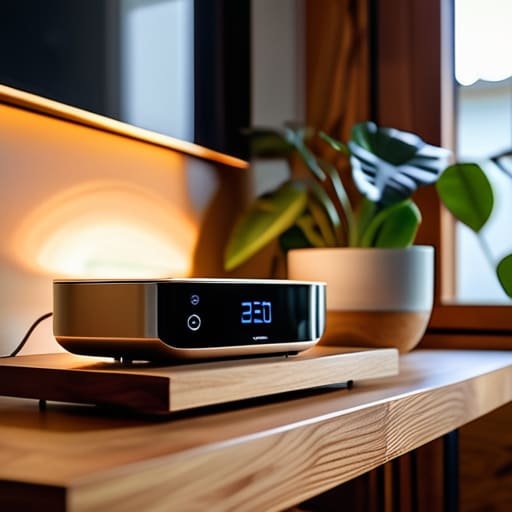
Look, this is where most people trip up. They buy a handful of gadgets from five different brands, only to realize a week later that none of them actually talk to each other. If you want to avoid a digital headache, you need to prioritize smart home ecosystem compatibility before you spend a single dime. Think of the hub as the conductor of an orchestra; if the conductor can’t signal the violins, the whole performance falls apart. Whether you land on Apple HomeKit, Amazon Alexa, or Google Home, pick one lane and stay in it.
When I’m scouting for the best smart home hubs 2024, I look for stability over flashy features. You don’t need a hub that can tell you the weather in Tokyo if it can’t reliably trigger your lights when you walk through the door. I prefer setups that lean heavily on protocols like Matter or Thread—they’re designed to reduce the friction of connecting IoT devices to Wi-Fi and ensure your automation actually runs when you need it to. Don’t get distracted by the marketing fluff; just find a central brain that plays well with others and keeps your routine predictable.
Mastering Smart Home Ecosystem Compatibility to Eliminate Chaos
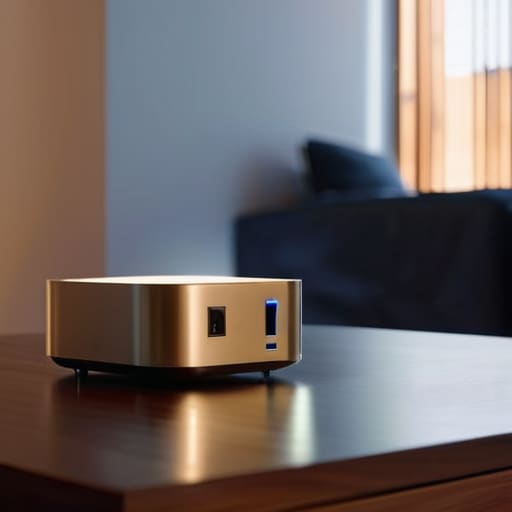
Here is where most people trip up and turn a convenient setup into a digital headache. You can buy all the gadgets you want, but if they don’t play nice together, you aren’t building a smart home—you’re just managing a collection of expensive paperweights. The secret to avoiding this chaos is prioritizing smart home ecosystem compatibility from day one. Before you hit “buy” on that new smart plug or camera, check if it actually talks to your chosen hub. I’ve seen too many people end up with five different apps just to turn off their lights, and frankly, that’s just more friction we don’t need.
Stick to one primary “language” for your house. Whether you lean toward Apple HomeKit, Google Home, or Amazon Alexa, make sure your new additions offer seamless smart home voice assistant integration. If a device requires its own proprietary app for every single function, leave it on the shelf. I also recommend checking the connectivity protocols; look for Matter or Thread support if you want your setup to remain relevant for the next decade. Build for stability, not just for novelty. If your devices can’t communicate without a constant struggle, they aren’t serving you—you’re serving them.
Five Rules to Prevent Your Smart Home from Becoming a Second Job
- Start with the basics, not the bells and whistles. Don’t go out and buy a smart fridge if your lights still turn on manually; focus on high-impact, low-effort wins like smart plugs and automated lighting first.
- Prioritize local control over cloud dependency. If your internet goes down and your front door won’t unlock, you haven’t built a smart home—you’ve built a liability. Look for devices that work on your local network.
- Map your physical space before you buy. I keep a small sketch in my notebook of my floor plan to visualize where sensors and hubs actually need to live to avoid dead zones and signal interference.
- Automate for the “invisible” tasks. The real value isn’t in turning a light on with your voice; it’s in the light turning itself off when you leave the room. If you have to open an app to make it work, the automation has failed.
- Audit your security like a professional. Every smart device is a potential entry point. Use a dedicated guest network for your IoT devices to keep them isolated from your primary computer and sensitive data.
The Goal of Automation
“A smart home shouldn’t feel like a second job or a collection of gadgets you have to babysit; it should be the invisible infrastructure that handles the friction of daily life so you can finally stop managing your house and start living in it.”
Marcus Holloway
Cutting Through the Noise

At the end of the day, building a smart home isn’t about collecting the most expensive gadgets or having a house that talks back to you. It’s about the foundation we discussed: selecting a reliable hub, ensuring your ecosystem actually talks to itself, and layering in devices that solve real problems rather than creating new ones. If you’ve focused on compatibility and avoided the trap of buying tech for tech’s sake, you’ve already won half the battle. The goal is to create a system that works in the background, quietly eliminating the friction of your daily chores so you don’t have to think about them.
Don’t feel like you need to automate your entire life by next Tuesday. Start small, fix one annoyance at a time, and let the system grow organically around your actual habits. Technology should serve your schedule, not the other way around. Once you’ve successfully offloaded the mundane tasks to your home, you’ll find you have more mental bandwidth for the things that actually require your presence—whether that’s a deep conversation, a hobby, or just a moment of quiet. Build your system with intention, and make sure you are reclaiming your time, not just managing more hardware.
Frequently Asked Questions
How much am I actually going to spend on this before it starts feeling "useful" rather than just expensive?
Look, I’ve seen people sink thousands into gadgets that just become expensive paperweights. Don’t do that. You’ll hit the “utility” threshold the moment you automate a recurring friction point—like your lights or your thermostat. For me, that happened once I spent about $200 on a solid hub and a few smart plugs. Once the mundane tasks start running themselves without your input, that’s when you’ve actually bought back your time.
Do I really need a dedicated hub, or can I just run everything through my phone and call it a day?
You can run everything through your phone, but you’ll eventually hit a wall of friction. Relying solely on apps means opening five different programs just to dim the lights and lock the door. That’s not automation; that’s just digital clutter. A dedicated hub acts as the central nervous system, letting your devices talk to each other locally and instantly. If you want a system that actually works when you aren’t staring at a screen, get the hub.
What happens to my house when the Wi-Fi goes down—does everything just stop working?
The short answer: not necessarily, but it’ll feel like it. Your manual switches and local automations (like motion sensors triggering lights) should keep working if they’re on a local protocol like Zigbee or Matter. However, if you rely on cloud-based commands or voice assistants, you’re stuck. You won’t be able to check your cameras or trigger scenes via your phone. My advice? Build for local control. Don’t let a router glitch turn your home into a brick.
How do I keep all these connected devices from becoming a massive security headache?
Look, I get it. Adding dozens of connected devices feels like inviting a crowd of strangers into your house. To keep it from becoming a headache, start with the basics: change every default password immediately. Use a dedicated guest network for your IoT devices—keep them isolated from your primary computer and bank accounts. Finally, if a device doesn’t offer regular security updates, don’t buy it. If it isn’t secure, it isn’t useful.
