I spent three weeks last year trying to “smartify” my home office, only to end up staring at a flickering smart bulb and a voice assistant that refused to recognize my accent. It was a classic case of buying gadgets for the sake of novelty rather than utility. Most people approach how to choose tech for your home by reading flashy reviews or chasing the latest shiny object, but that’s a fast track to a cluttered house and a frustratingly complex life. If a piece of hardware requires a manual thicker than my vintage synthesizer guides just to turn on a light, it isn’t “smart”—it’s just more work.
I’m not here to sell you on the latest ecosystem or convince you that you need a connected toaster. My goal is to help you strip away the digital noise and focus on tools that actually buy you back your time. I’ll show you how to evaluate devices based on their ability to reduce friction, not add to it. We’re going to look at compatibility, reliability, and, most importantly, whether the tech serves you or if you’ve become a servant to your own house. Let’s get to work.
Table of Contents
Defining Essential Home Technology for Beginners

Before you go out and buy every gadget that promises to make your life easier, you need to draw a line in the sand. Most people make the mistake of buying “cool” tech that ends up becoming just another chore to manage. To avoid this, start by identifying your actual pain points. Are you tired of walking around to turn off every light? Do you constantly forget if you locked the front door? Focus on essential home technology for beginners that addresses these specific frictions rather than chasing shiny objects.
Once you’ve identified your needs, the real work begins: looking under the hood. You don’t want a house full of devices that refuse to talk to one another. This is where smart home ecosystem compatibility becomes your best friend. Whether you lean toward Apple, Google, or Amazon, ensure your new additions play well with the systems you already use. If a device requires five different apps just to function, it’s not a tool; it’s a distraction. Keep it simple, keep it integrated, and for heaven’s sake, keep it useful.
Smart Home Ecosystem Compatibility Without the Headache
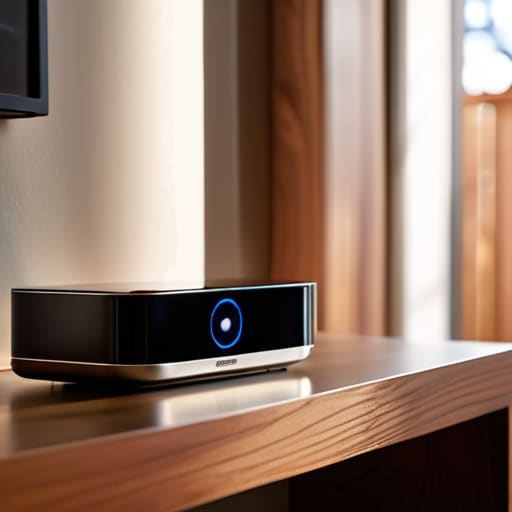
Here is where most people trip up. They buy a brilliant smart bulb, a high-end thermostat, and a sleek security camera, only to realize three weeks later that none of them actually talk to each other. You end up with a dozen different apps cluttering your phone, which is exactly the kind of friction I’m trying to help you avoid. When you’re evaluating smart home connectivity standards, don’t get bogged down in the technical jargon. Just look for a common language. Whether it’s Matter, Zigbee, or Thread, ensure the devices you’re eyeing can play nicely within a single framework.
My rule of thumb is simple: pick a “brain” first—an ecosystem like Apple Home, Google Home, or Alexa—and then filter every subsequent purchase through that lens. This approach makes integrating smart devices with existing tech a matter of a few taps rather than a weekend-long troubleshooting nightmare. It’s about building a cohesive system, not a digital junk drawer. If a device requires its own proprietary bridge and a dedicated app just to turn on a light, leave it on the shelf. We’re looking for seamless utility, not more chores on your to-do list.
Five Rules for Buying Tech That Actually Works
- Solve a friction point first. Before you buy a single gadget, identify one thing in your daily routine that annoys you. If it’s forgetting to lock the door or wasting time adjusting the thermostat, buy for that. If it doesn’t solve a specific problem, it’s just expensive clutter.
- Prioritize “set and forget” over “cool factor.” I’ve seen too many people buy high-tech toys that require constant firmware updates and troubleshooting. If a device needs your attention every three days just to function, it’s not an automation—it’s a new chore.
- Check the “offline” contingency. Ask yourself: “What happens to this device if my internet goes down?” If the answer is “it becomes a paperweight,” think twice. True utility means the lights still turn on and the locks still work even when the cloud is acting up.
- Beware of the walled garden. It’s tempting to buy everything from one brand, but don’t let them trap you. Ensure your devices can talk to each other through standard protocols. You want a toolkit, not a subscription service you can’t escape.
- Audit the “mental load” cost. Every new piece of tech adds a tiny bit of complexity to your brain. Before you hit ‘buy,’ decide if the time you save is actually worth the extra minute you’ll spend managing the app. If the math doesn’t add up, walk away.
The Golden Rule of Home Tech
If a device requires more than five minutes of troubleshooting to do its one job, it isn’t a tool—it’s a second job. Buy tech that buys you time, not tech that demands your attention.
Marcus Holloway
Cutting Through the Noise

At the end of the day, building a smart home isn’t about collecting the latest gadgets or seeing how many lights you can control from your phone. It’s about utility. We’ve covered the groundwork: identify your actual pain points, ensure your devices actually talk to each other through a unified ecosystem, and avoid the trap of buying tech just because it’s trending. If a device adds more steps to your daily routine instead of removing them, it’s not an upgrade—it’s just digital clutter. Stick to the fundamentals of compatibility and purpose, and you’ll avoid the expensive headache of a fragmented system that requires constant troubleshooting.
I spent years in corporate operations watching people implement complex systems that only served to create more work. Don’t make that same mistake in your own living room. Your home should be your sanctuary, a place where the friction of life is minimized so you can actually breathe. Technology should be the invisible hand that smooths out the edges of your day, not a loud, demanding guest that needs your constant attention. Buy with intention, automate the mundane, and then get back to living your life. The best tech is the kind you eventually forget is even there.
Frequently Asked Questions
How much am I actually going to spend on this in the long run once you factor in subscriptions?
Here’s the reality: subscriptions are the silent killer of a smart home budget. You might save $50 on a gadget today, but if it requires a $10 monthly fee just to access its best features, you’re bleeding money. Before you buy, ask one question: “Can this function locally without a cloud subscription?” Aim for hardware that offers one-time purchases. If you can’t avoid the monthly fee, make sure the utility justifies the recurring drain.
Is this device going to work with the stuff I already own, or am I starting from scratch?
Before you pull the trigger on anything new, do a quick audit of what’s already on your shelves. Look for labels like “Matter” or “Thread”—those are your best friends for ensuring new gear plays nice with the old. If your current devices are locked into one specific brand’s walled garden, you’ve got a choice: stick to that ecosystem to save time, or start building a more flexible, platform-agnostic setup. Don’t build a digital graveyard.
How do I know if this tech is actually saving me time or just adding another app to my phone?
Ask yourself one question: Does this solve a recurring friction point, or am I just entertaining myself? If you have to open an app, wait for it to load, and navigate three menus just to turn on a light, you haven’t bought a tool—you’ve bought a chore. Real utility is invisible. If the tech requires more “management” than the manual version it replaced, put it back on the shelf. Stick to automation, not just remote control.
What happens to my data and my privacy once I bring these devices into my house?
Here’s the reality: once a device connects to your Wi-Fi, it starts talking. Some talk to you; others talk to a server halfway across the world. Most smart tech collects data—usage patterns, voice snippets, even floor plans—to “improve service,” which is corporate speak for harvesting info. If you want to minimize the footprint, stick to local control, audit your app permissions, and for heaven’s sake, change those default passwords immediately. Don’t trade your privacy for a lightbulb.
