I spent the better part of my twenties in cubicle farms, trading my daylight for fluorescent lights and back-to-back meetings that could have been emails. When I finally transitioned to consulting, I thought I’d unlocked the holy grail of freedom, only to realize that productivity working from home is often a trap disguised as liberty. Most of the “gurus” online will try to sell you a $500 ergonomic chair or a complex suite of subscription-based apps to manage your life, but they’re just adding more friction to your day. Truthfully, most of those tools are just digital clutter that distracts you from the actual work you need to finish.
I’m not here to sell you on a lifestyle makeover or a complicated new ritual. My goal is much simpler: I want to help you strip away the nonsense and build a few reliable systems that actually work. I’ll be sharing the exact, no-fluff frameworks I use to automate my routine and protect my mental bandwidth. We aren’t going to chase every new productivity hack that trends on social media; instead, we’re going to focus on ruthless utility so you can get your work done and actually enjoy your life.
Table of Contents
Minimizing Home Distractions With Zero Effort Systems
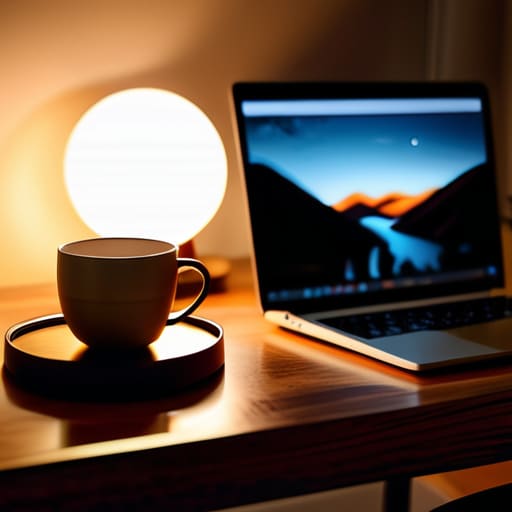
The biggest mistake I see people make is relying on willpower to stay focused. Willpower is a finite resource, and once it’s gone, you’ll find yourself staring at a pile of laundry or scrolling through news feeds instead of hitting your deadlines. You need to stop fighting your environment and start engineering it. One of my most effective deep work strategies for remote workers is the “physical boundary” rule. If you don’t have a dedicated room, use a specific lamp or even a certain type of coaster. When that light is on or that coaster is out, you are “at the office.” It’s a simple psychological trigger that tells your brain the transition has happened.
Beyond the physical space, you have to audit your digital environment. If your phone is sitting face-up next to your keyboard, you’ve already lost the battle. I keep mine in a different room during my core focus blocks. To truly master minimizing home distractions, you need to automate your “do not disturb” settings. Set your devices to automatically enter focus mode during your peak hours. Don’t make it a choice you have to make every morning; make it a system that runs in the background. If you have to think about being productive, you’re already wasting energy.
Deep Work Strategies for Remote Workers to Reclaim Focus
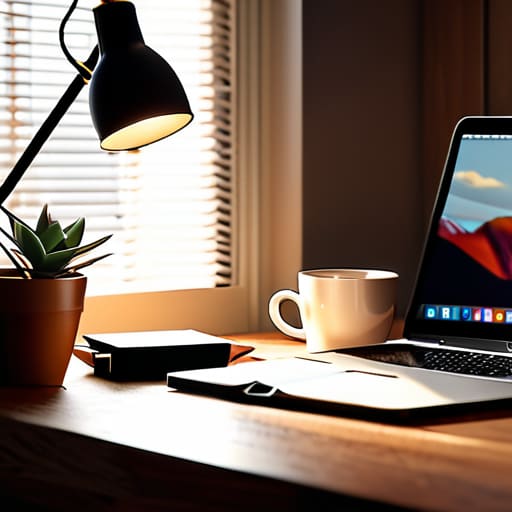
If you’re treating your home office like a casual lounge, don’t be surprised when your focus evaporates. Deep work isn’t a magical state of mind you stumble into; it’s a result of intentional architecture. I’ve found that the most effective deep work strategies for remote workers start with a hard boundary between “available” and “unavailable.” I use a physical signal—a specific lamp on my desk—that tells my household (and my own brain) that I am currently offline to the world. When that light is on, the Slack notifications stay muted and the phone stays in another room.
You also need to stop relying on willpower to manage your cognitive load. Willpower is a finite resource, and it’s the first thing to go by 2:00 PM. Instead, schedule your most demanding tasks during your peak biological window. If you’re a morning person, don’t waste those precious hours clearing out your inbox; that’s low-value administrative clutter. Save the heavy lifting for when your brain is sharpest. By building a repeatable rhythm of intensity, you stop fighting your environment and start leveraging it to get your real work done.
The Infrastructure of Output: 5 Systems to Protect Your Momentum
- Audit your digital notifications. If a ping doesn’t require an immediate decision, it shouldn’t be interrupting your flow. Turn off everything except direct messages from your core team and keep them to a minimum.
- Batch your administrative “shallow work.” Don’t answer emails as they arrive; set two specific windows per day to clear your inbox. This prevents the constant context-switching that kills real productivity.
- Standardize your meal prep to eliminate decision fatigue. I don’t care if it’s boring; knowing exactly what you’re eating for lunch at 12:30 PM saves you the mental energy of deciding when you’re actually hungry.
- Use a “shutdown ritual” to signal the end of the workday. Close your tabs, clear your physical desk, and write your top three priorities for tomorrow in your notebook. When the desk is clear, the work is done.
- Automate your recurring finances and scheduling. If you’re still manually moving money or hunting for meeting times, you’re wasting bandwidth. Set up the automation once and let it run in the background.
The Myth of Discipline
Stop relying on willpower to get through your workday; willpower is a finite resource that fails the moment your laundry piles up or your phone buzzes. Build systems that make focus the path of least resistance, not a daily battle.
Marcus Holloway
Cutting Through the Noise

At the end of the day, productivity isn’t about squeezing every last drop of labor out of your eight-hour window; it’s about building a framework that prevents burnout. We’ve covered how to strip away the environmental friction that keeps you from starting, and how to deploy deep work sessions that actually move the needle. Whether you are automating your digital workflow or physically separating your workspace from your living space, the goal remains the same: eliminating the friction that turns simple tasks into mental marathons. Don’t try to overhaul your entire life by Monday morning. Just pick one system, test it, and see if it actually buys you back your time.
I spent years thinking that more tools meant more progress. I was wrong. The most efficient people I know aren’t the ones with the most complex setups; they are the ones who have mastered the art of the intentional pause. Use these systems to handle the mundane, the repetitive, and the loud, so that when you finally sit down to do the work that matters, your mind is actually present. Technology and structure are just the scaffolding. The real prize is the mental bandwidth you reclaim to live a life that isn’t dictated by your inbox. Now, close the laptop and go do something that doesn’t require a screen.
Frequently Asked Questions
How do I stop my family or roommates from treating my home office like a common area?
You can’t rely on people to respect a boundary that hasn’t been physically defined. If your door is open, you’re available. Period. Install a high-quality physical signal—a closed door, a specific light, or even a “do not disturb” sign. It sounds old-school, but it works. Sit them down, explain the cost of interruptions, and set “office hours.” If they can’t respect the visual cue, you need a lock. Boundaries require friction to stick.
What’s the best way to separate my professional headspace from my personal life when I never actually leave the house?
You need a physical ritual to signal the end of the shift. Since you aren’t commuting, you have to manufacture a transition. I use a “shutdown ritual”: I clear my desk, write my top three tasks for tomorrow in my notebook, and physically close my laptop. Once that lid clicks, I’m done. If you work from a dedicated space, leave it. If you work from the kitchen table, pack the gear away. Don’t let the office bleed into your living room.
I’ve tried all the time-blocking apps, but they just feel like more digital clutter; how do I build a system that actually sticks?
The problem isn’t the apps; it’s that you’re trying to outsource your discipline to a piece of software. Apps become just another chore on the list. Stop looking for the perfect digital interface and go analog. Grab a notebook and a pen. Map out your three non-negotiable wins for the day before you even open your laptop. If it isn’t written down physically, it’s just a suggestion. Keep it tactile, keep it simple, and stop over-engineering the process.
How much of my productivity is being killed by "digital fatigue" and constant Slack notifications?
A lot. If you’re constantly reacting to pings, you aren’t working; you’re just managing interruptions. Every Slack notification triggers a context switch that costs you twenty minutes of cognitive momentum. That’s not “staying connected”—it’s digital friction. I treat my notifications like uninvited guests. Close the tabs, kill the sounds, and check your messages on your own terms, not theirs. Reclaim your attention, or someone else will spend it for you.
