Most “remote work tips” you find online are nothing more than glorified excuses to buy more expensive gadgets or download yet another subscription-based task manager. I’ve spent twenty years in corporate operations, and I can tell you that a $500 ergonomic chair won’t fix a broken workflow. People treat remote work like a puzzle that needs more pieces, when in reality, it’s usually just a case of too much noise. You don’t need a complex digital ecosystem; you need to strip away the distractions that are eating your focus alive.
I’m not here to sell you on a lifestyle aesthetic or a new productivity app. My goal is to give you the practical, low-friction systems I use to keep my own consulting business running without burning out by noon. We’re going to talk about automating your most tedious tasks, setting hard boundaries that actually stick, and reclaiming your mental bandwidth. Let’s cut through the fluff and focus on the utility of getting your work done so you can actually get on with your life.
Table of Contents
Home Office Setup Essentials for Peak Performance
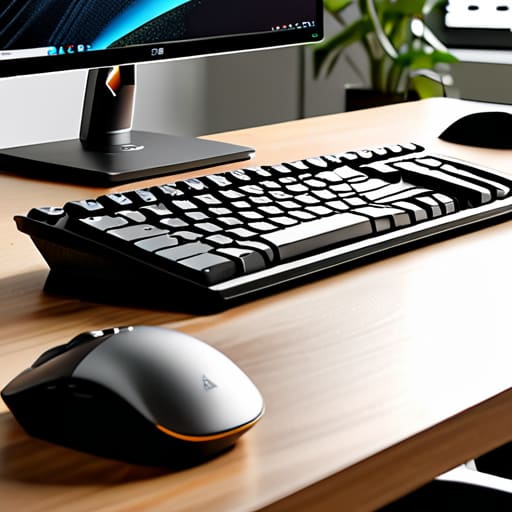
Most people treat their home office like an afterthought, tossing a laptop onto a kitchen chair and wondering why they feel drained by 3:00 PM. If you want to sustain this long-term, you need to view your workspace as a piece of industrial equipment. It’s not about aesthetics; it’s about minimizing physical friction. Start with a dedicated, ergonomic chair and a desk at the correct height. If your body is constantly fighting a subpar setup, your brain is too distracted to focus on deep work. These aren’t luxuries; they are the foundational home office setup essentials required to prevent the physical fatigue that often precedes mental burnout.
Beyond the furniture, look at your digital and sensory environment. I’ve learned that a cluttered desk leads to a cluttered mind, so keep your physical surface clear of everything except the tools you are using right now. Invest in a high-quality external monitor and a mechanical keyboard—tools that provide tactile feedback and reduce the cognitive load of squinting at a tiny screen. Finally, manage your lighting. Natural light is great, but a dedicated task lamp prevents eye strain during late afternoon sessions. When you treat your environment with intention, you aren’t just working from home; you are building a high-performance station designed for sustained output.
Remote Work Productivity Hacks to Automate Your Day
If you find yourself staring at your inbox at 8:00 PM, you haven’t mastered remote work; you’ve just let your job bleed into your living room. To stop the cycle, you need to treat your schedule like a machine that requires regular maintenance. I’m a big believer in batching tasks rather than reacting to every notification. Set specific windows for checking email and Slack, and outside of those times, close the tabs. If everything is a priority, nothing is. By creating these artificial boundaries, you’re not just being efficient; you’re practicing essential remote work burnout prevention.
Next, let’s look at the digital friction that eats your focus. Most people waste twenty minutes a day just deciding what to do next. I use a simple rule: if a task takes less than two minutes, do it immediately; if it takes longer, it goes into a prioritized queue in my physical notebook. For the heavier lifting, I leverage automation tools to handle the repetitive stuff—think automated scheduling links instead of the endless “does Tuesday work for you?” email dance. These aren’t just minor remote work productivity hacks; they are the structural supports that allow you to actually reclaim your mental bandwidth at the end of the day.
The Boundaries You Need to Draw to Stay Sane
- Stop treating your home like a 24/7 office. When the clock hits 6:00 PM, shut the laptop and put it in a drawer. If you can see your work, your brain is still working.
- Master the art of the “asynchronous update.” Stop jumping into unnecessary Zoom calls that could have been a three-sentence Slack message. Protect your deep-work blocks like they’re gold.
- Build a ritual to signal the start and end of your day. Whether it’s a fifteen-minute walk or a specific cup of coffee, you need a physical trigger to tell your brain the “work mode” is officially engaged.
- Curate your digital notifications. If it isn’t a direct ping from your boss or a client emergency, it doesn’t deserve to interrupt your focus. Turn off the red dots; they are nothing but cognitive friction.
- Schedule your breaks like you schedule your meetings. If you wait until you’re burnt out to step away, you’ve already lost the battle. A ten-minute reset away from all screens is non-negotiable.
The Core Philosophy
Remote work isn’t about finding new ways to stay busy; it’s about building enough structure and automation that your environment stops demanding your attention, allowing you to actually do the work you were hired to do.
Marcus Holloway
Cut the Friction and Reclaim Your Day
At the end of the day, remote work isn’t about working more hours; it’s about making those hours count. We’ve covered the groundwork: building an office setup that supports your body instead of fighting it, and implementing automation to handle the mindless, repetitive tasks that usually drain your mental battery. If you take nothing else from this, remember that efficiency is a choice. Stop letting your environment dictate your output. By curating your physical space and your digital workflows, you are effectively removing the friction that stands between you and your best work.
I spent two decades in cubicles before I realized that true professional freedom comes from discipline, not just location. Transitioning to remote work is a skill that requires constant refinement, much like tuning an old analog synth—it takes patience and a bit of trial and error. Don’t try to overhaul everything by Monday morning. Pick one system, automate it, and see how much headspace you clear. My goal is to help you stop reacting to your inbox and start commanding your schedule. Get your systems in place so you can finally focus on the work—and the life—that actually matters.
Frequently Asked Questions
How do I draw a hard line between my work life and my personal life when my office is also my living room?
The biggest mistake I see is treating your living room like a flexible workspace. It isn’t. If your laptop is on the coffee table at 8 PM, you haven’t finished working; you’ve just failed to close the shop. Create a physical “shutdown” ritual. Close the laptop, put it in a drawer, or even cover your desk with a cloth. If you can’t see the work, your brain can finally stop processing it.
What are the best low-cost tools for automating repetitive administrative tasks without getting bogged down in complex software?
Don’t let “enterprise-grade” software intimidate you. You don’t need a massive budget or a degree in systems engineering to reclaim your time. Start with Zapier or Make; they act as the glue between your existing apps, handling the tedious hand-offs for you. For task management, keep it lean with Trello or Todoist. If you’re drowning in emails, use TextExpander to turn repetitive replies into simple keystrokes. Keep it simple. If it doesn’t save you time, it’s just more friction.
How can I maintain professional visibility and rapport with my team when I'm not physically present in the office?
Visibility isn’t about being “online” 24/7; that’s just performative busywork. It’s about intentionality. Over-communicate your progress, not just your presence. Use brief, structured status updates in your team’s shared channels so people know exactly where projects stand without needing to ping you. Most importantly, don’t skip the “watercooler” moments. Schedule ten minutes of non-work chat during calls. It feels awkward at first, but it builds the social capital you’ll need when things get difficult.
How do I deal with the inevitable digital fatigue that comes from being tethered to a screen all day?
Stop treating your brain like a machine that can run indefinitely without maintenance. Digital fatigue isn’t a lack of willpower; it’s physiological friction. I use the 20-20-20 rule—every 20 minutes, look at something 20 feet away for 20 seconds—to reset my focus. More importantly, schedule “analog intervals.” Step away from the glow. Grab that notebook I’m always carrying, write a quick list, and look at something physical. Reclaim your eyes.
