Stop wasting your money on $300 ring lights and “professional” studio kits that promise to transform your home office into a Hollywood set. Most of the advice you see online about how to look better on video calls is just unnecessary friction designed to sell you gear you don’t actually need. I spent two decades in boardrooms where presence mattered, and I can tell you that looking polished isn’t about the price tag of your webcam; it’s about managing the variables you actually control.
I’m not here to give you a shopping list of gadgets. Instead, I’m going to show you how to use basic physics and simple adjustments to clean up your image without breaking your budget or your schedule. We’re going to focus on lighting placement, camera angles, and background management—the high-utility moves that actually work. My goal is to help you automate your setup so you can stop worrying about your appearance and get back to the work that actually moves the needle.
Table of Contents
Finding the Best Webcam for Remote Work
Don’t fall into the trap of thinking a thousand-dollar camera is the magic bullet. Most people overspend on gear they don’t need, only to realize they still look like they’re filming from a basement. If you’re looking for the best webcam for remote work, focus on sensor size and light handling rather than just megapixels. A decent 1080p camera from a reputable brand will do more for your professional presence than a 4K lens that struggles the moment the sun goes down.
The real secret isn’t just the lens; it’s how you position it. I’ve seen brilliant consultants lose authority simply because their camera angle for video conferencing was looking straight up their nose. It creates an unintentional sense of dominance or awkwardness that pulls focus away from your expertise. Get a small tripod or a sturdy monitor mount to keep the lens at eye level. This small adjustment eliminates the “looking down on the client” vibe and makes your interactions feel much more natural and human. Once you have the hardware stabilized, you can stop fiddling with settings and actually get back to the work that matters.
Optimizing Your Camera Angle for Video Conferencing
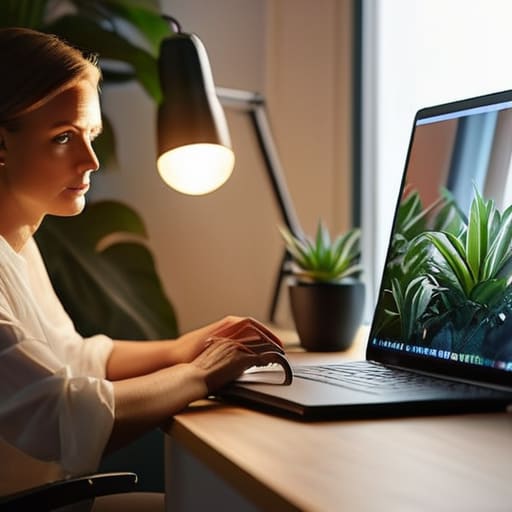
Most people set their laptops on a desk and call it a day. The result? You’re staring up a nose at your colleagues, or worse, you’re looking down at them like a looming shadow. This is a rookie mistake that kills your authority instantly. The golden rule for your camera angle for video conferencing is simple: the lens should be at eye level. If you’re on a laptop, grab a stack of heavy books or a dedicated riser. You want the camera to meet your gaze, not hunt for it.
Once you’ve leveled the hardware, pay attention to the tilt. You don’t want to be staring directly into the ceiling or looking like you’re peering over a fence. A slight, almost imperceptible downward tilt can actually help minimize video call distractions by keeping the focus on your face rather than the clutter behind your head. It’s about creating a sense of equilibrium. If you find yourself constantly adjusting your screen mid-meeting to find the right posture, you’ve already lost the mental bandwidth you need for the actual conversation. Fix the physics of your setup once, so you can stop thinking about it and start focusing on the work.
Fix the Friction: 5 Quick Wins for a Better Presence
- Stop sitting in the dark. If your only light source is the monitor in front of you, you’ll look like a ghost in a cave. Move a lamp behind your screen to hit your face directly, or face a window. Simple, effective, and immediate.
- Watch your background clutter. I don’t care if you don’t have a home office; just stop letting the laundry pile or the unmade bed become part of your professional brand. A plain wall or a tidy bookshelf does the job without the distraction.
- Master your audio. People will forgive a grainy picture, but they won’t tolerate bad sound. If you’re still using your laptop’s built-in mic, you’re doing it wrong. Get a decent headset or a dedicated USB mic to cut out the background hum.
- Eye contact is a technicality, not a feeling. Stop looking at the person on your screen; look directly into the camera lens when you speak. It feels unnatural at first, but it’s the only way to actually “meet” someone digitally.
- Check your frame. You shouldn’t look like a floating head, nor should we see your entire ceiling. Aim for a mid-chest shot with a little bit of breathing room above your head. It keeps the focus on you, not your furniture.
The Goal of Visual Clarity
“Your video setup shouldn’t be a performance; it should be invisible. The moment people start noticing your poor lighting or a bad angle, they stop listening to your ideas. Fix the friction so your message can actually land.”
Marcus Holloway
Cutting the Friction
At the end of the day, looking professional on camera isn’t about buying the most expensive gear on the market; it’s about eliminating the distractions that pull attention away from your message. You’ve covered the essentials: upgrading your hardware, fixing your lighting so you don’t look like a ghost in a basement, and positioning your camera so you aren’t staring down at your colleagues. When you nail these technical basics, you stop fighting your environment and start focusing on the actual work. It’s about reducing the friction between your ideas and the people receiving them.
Don’t get caught in a loop of endless tweaking. You don’t need a studio-grade setup to be effective, and you certainly don’t need to spend your entire weekend obsessing over shadows. Set up a reliable baseline, automate what you can, and then get back to the business of living. The goal of all this technical cleanup is to free up your mental bandwidth for the high-value conversations that actually move the needle. Once the setup is solid, let the technology fade into the background and let your expertise take center stage.
Frequently Asked Questions
Do I actually need to buy a professional ring light, or can I just use a desk lamp?
Skip the ring light for now. Most people treat them like a mandatory purchase, but they’re often just another piece of clutter on your desk. A desk lamp works fine, provided you don’t point it directly at your face like a spotlight in an interrogation room. Instead, bounce the light off a wall in front of you to soften the shadows. If you have a window, use that. Natural light is free and better than any cheap LED.
How do I stop my background from looking like a cluttered mess without a full home renovation?
You don’t need a contractor; you need a strategy. First, clear the immediate visual field. If it’s behind your head, it’s in the frame. Move the laundry pile or the stack of mail out of sight. Next, use depth. Pull your desk away from the wall to create a natural blur. If the room is still a disaster, lean on a digital background—but keep it subtle. A slight blur is professional; a tropical beach is distracting.
Is there a way to fix my lighting if I'm stuck in a room with no windows?
You don’t need a window; you just need to stop fighting the shadows. If you’re stuck in a windowless box, your overhead light is your enemy—it creates those unflattering “raccoon eyes.” Grab a basic LED desk lamp or a cheap ring light. Position it slightly above eye level and off to one side to mimic natural light. If the light feels too harsh, drape a thin white cloth over it. Soft, diffused light is your best friend.
Should I bother with a dedicated microphone, or is my laptop's built-in one good enough?
Look, if you’re just catching up with family, your laptop mic is fine. But if you’re leading a meeting or pitching a client, get a dedicated microphone. Laptop mics are notorious for picking up every click of your keyboard and the hum of your AC. It’s distracting and makes you sound distant. A simple USB condenser mic or a decent headset does the heavy lifting for you, making your voice clear and professional. Don’t let bad audio undermine your authority.