Posted on

Essential Kitchen Staples for Effortless Healthy Eating

How to stock a healthy kitchen staples.

I spent a decade watching “wellness influencers” try to sell the idea that knowing how to stock a healthy kitchen requires a $500 grocery haul of exotic superfoods and specialized powders you can’t even pronounce. It’s a racket. Most of that stuff just sits in your pantry, gathering dust and wasting the very thing we’re all trying to save: our mental bandwidth. You don’t need a boutique organic market to eat well; you need a system that works when you’re too exhausted to think.

I’m not here to give you a list of trendy ingredients that will expire by next Tuesday. Instead, I’m going to show you a minimalist framework for building a pantry that actually serves you. We’re going to focus on high-utility staples that bridge the gap between “convenient” and “nutritious” without the unnecessary friction. My goal is to help you automate your grocery logic so you can stop staring blankly at the fridge and finally get on with your day.

Table of Contents

Building Your Foundation With Nutritious Pantry Staples

Building Your Foundation With Nutritious Pantry Staples

Building your foundation doesn’t require a culinary degree or a massive budget; it requires a system. I like to think of my pantry as a toolkit. If you walk into a kitchen and only find pasta sauce and white rice, you aren’t cooking; you’re just managing hunger. To actually build meals, you need nutrient dense ingredients that have a long shelf life and minimal preparation time. I always start with the heavy hitters: dried lentils, quinoa, canned chickpeas, and high-quality olive oil. These are the building blocks that allow you to throw together a decent meal in ten minutes when your workday goes sideways.

The goal here is to lean into a low processed food shopping mindset without making it a chore. When I’m stocking up, I look for items that offer maximum utility with minimum friction. Think oats for breakfast, canned sardines or tuna for quick protein, and various nuts and seeds for healthy fats. If you have these basics on hand, you’ve already won half the battle against decision fatigue. Instead of staring blankly at the fridge at 7:00 PM, you’re simply assembling the meal prepping essentials you already have sitting in your cupboard. It’s about being prepared, not being perfect.

The Low Processed Food Shopping Strategy

The Low Processed Food Shopping Strategy.

The biggest mistake I see people make is treating the grocery store like a scavenger hunt for convenience. They wander the middle aisles, grabbing anything with a colorful label that promises to save them twenty minutes of cooking. That’s a trap. It’s a high-friction way to eat that leaves you feeling sluggish and constantly hungry. If you want to master low processed food shopping, you have to change your perimeter strategy. Stick to the edges of the store where the actual food lives—produce, proteins, and dairy—and treat the center aisles like a minefield of unnecessary additives.

I keep a strict whole food grocery list in my notebook to prevent impulse buys. My rule is simple: if it has a label with twenty ingredients I can’t pronounce, it doesn’t go in the cart. Instead, I focus on grabbing nutrient dense ingredients that require minimal intervention. Think bags of frozen spinach, bulk quinoa, or raw nuts. These aren’t just healthy; they are high-utility tools. They reduce the mental load of deciding what to eat because they are versatile enough to be thrown into almost any meal without a second thought. Stop shopping for recipes and start shopping for building blocks.

Five Tactics to Keep Your Kitchen Functional and Frictionless

  • Shop with a “Core Five” list. Don’t wander the aisles looking for inspiration; pick five versatile ingredients every single week—like greens, a protein, a grain, a healthy fat, and a seasonal fruit—and stick to them until they become second nature.
  • Batch your prep, not just your meals. You don’t need to spend five hours on Sunday making identical Tupperware containers of chicken and broccoli. Just chop your onions, wash your kale, and boil a pot of quinoa when you have the bandwidth; it makes the actual cooking process ten times faster on a Tuesday night.
  • Master the art of the “Emergency Meal.” Keep a few high-quality, non-perishable components on hand—think canned wild salmon, jarred artichokes, or high-grade lentils—so that when your schedule falls apart, you aren’t defaulting to expensive, salty takeout.
  • Audit your inventory before you leave the house. I keep a small section in my notebook for “current stock.” There is nothing more wasteful than buying a third jar of cumin or a fourth bag of rice because you forgot what was already sitting in the back of the cupboard.
  • Use frozen produce as a strategic tool. Realistically, fresh spinach goes bad before most busy people can use it. Keep frozen berries and vegetables in the freezer; they are nutritionally dense, won’t rot in your crisper drawer, and provide an instant solution when you’re too tired to chop anything fresh.

The Philosophy of the Pantry

“A well-stocked kitchen isn’t about having every gourmet ingredient on the shelf; it’s about having the right building blocks so that when life gets chaotic, you aren’t forced to trade your health for convenience.”

Marcus Holloway

The Bottom Line

Healthy kitchen staples: The Bottom Line.

At the end of the day, stocking a healthy kitchen isn’t about achieving culinary perfection or following a rigid, complicated regimen. It’s about building a reliable system of pantry staples and low-processed goods that work for you, not against you. By focusing on high-utility ingredients and a streamlined shopping strategy, you’re essentially removing the decision fatigue that usually leads to poor choices when you’re tired or rushed. You’ve laid the groundwork; now, it’s just about maintaining that foundation so your kitchen becomes a tool for efficiency rather than another source of household friction.

Don’t feel like you have to overhaul your entire life by next Monday. Start small, grab a few more essentials on your next trip, and let the momentum build. The goal here isn’t to become a gourmet chef; it’s to reclaim your mental bandwidth so you aren’t constantly negotiating with yourself about what to eat. Once the basics are automated, you’ll find you have more energy for the things that actually matter—whether that’s your career, your family, or finally getting around to that project in the garage. Get the system running, then get on with your life.

Frequently Asked Questions

How do I keep these staples fresh without spending all my time managing expiration dates?

Stop treating your pantry like a museum. You don’t need a complex tracking system; you just need a “First In, First Out” (FIFO) rule. When you bring home new supplies, shove the old ones to the front. It’s basic logistics, but it works. I also keep a small section of my pantry for “short-term” items—things like nuts or oils that go rancid faster. If it’s in the back, it’s forgotten. Keep it simple.

Is it actually cost-effective to buy in bulk, or am I just tying up cash in food I won't use?

It’s a classic trade-off: liquidity versus unit price. If you’re buying bulk on impulse, you’re just burying cash in a pantry graveyard. That’s bad operations. However, if you apply the rule of predictable consumption to non-perishables—think grains, beans, or olive oil—it’s a win. Buy in bulk only when the math makes sense and the shelf life exceeds your usage rate. Don’t let a “deal” become dead capital sitting in your cupboard.

What's the quickest way to turn these basic ingredients into a real meal when I'm exhausted after work?

When you’re running on empty, don’t aim for a culinary masterpiece. Aim for assembly. Grab a tin of chickpeas, a bag of pre-washed spinach, and some canned tuna. Toss them in a bowl with olive oil, lemon, and whatever dried herbs you have on hand. It takes three minutes, requires zero actual cooking, and keeps you from hitting the takeout apps. Low friction, high utility. Eat, then get some rest.

How do I balance a "minimalist" pantry with the need for variety so I don't get bored of eating the same five things?

The secret isn’t having more ingredients; it’s having more modular ones. Think of your pantry like a modular synthesizer: a few core components that can be reconfigured into infinite patches. Keep your staples—grains, beans, oils—consistent, but rotate your “accent” ingredients. One week, it’s cumin and lime; the next, it’s smoked paprika and garlic. You aren’t changing the foundation; you’re just changing the flavor profile. Variety comes from spices, not clutter.

Posted on

Note-taking Strategies for Better Long-term Retention

Effective note taking methods for long-term retention.

I spent fifteen years in corporate boardrooms watching brilliant people drown in digital noise, chasing every new productivity app that promised to “revolutionize” their workflow. Most of these gurus want to sell you a complex ecosystem of interconnected software and color-coded tags, but let’s be honest: most note taking methods are just expensive ways to procrastinate. If you spend more time organizing your folders than actually using the information inside them, you aren’t being productive; you’re just performing digital housekeeping.

I’m not here to sell you a subscription or a lifestyle overhaul. My goal is to strip away the friction and show you a few battle-tested frameworks that actually stick. I’ll walk you through the systems I use to manage my consulting projects and my analog hobbyist notes, focusing on utility over aesthetics. We’re going to find a way to capture your thoughts without turning your brain into a filing cabinet, so you can stop managing notes and start actually thinking again.

Table of Contents

The Cornell Note Taking System for Maximum Efficiency

The Cornell Note Taking System for Maximum Efficiency

If you’re tired of looking at a page of disorganized scribbles and wondering what you were even thinking, the Cornell note taking system is your remedy. It’s not about writing more; it’s about structuring for retrieval. You divide your page into three distinct zones: a narrow column on the left for cues, a wider space on the right for actual notes, and a summary box at the bottom. This isn’t just a way to record information; it’s a way to force your brain to process it in real-time.

The real magic happens during the review phase. Instead of just re-reading your mess, you use those left-hand cues to quiz yourself. This turns a passive activity into one of the most effective study habits available. Whether you are organizing lecture notes or prepping for a high-stakes board meeting, this framework ensures you aren’t just a stenographer for your own life. I personally find that even when I’m leaning into digital vs analog note taking debates, the Cornell structure remains the gold standard because it demands active engagement rather than mindless transcription. Stop acting like a human recorder and start building a system that actually serves your future self.

Digital vs Analog Note Taking Cutting the Friction

Digital vs Analog Note Taking Cutting the Friction

I’ve spent a good portion of my life oscillating between the two. On one hand, you have the sheer speed of a tablet or a laptop—perfect for when you need to search through months of data in seconds. On the other, there is the tactile reality of a fountain pen on heavy paper. When I’m deep in a strategy session, I find that digital vs analog note taking isn’t about which is “better,” but about which one gets out of your way. Digital tools are unmatched for archiving and retrieval, but they often come with the heavy tax of notifications and the temptation to multitask.

If you’re looking to truly internalize information, don’t underestimate the power of the physical page. There is a cognitive connection that happens when you physically write something down; it forces a slower, more intentional pace. This is where active listening techniques actually take root. When you’re tethered to a screen, you’re often just transcribing a stream of consciousness without processing a single word. I use my notebook to map out the big ideas and my digital tools to store the granular details. Find that balance, and you’ll stop just collecting data and start actually using it.

Five Rules to Stop Managing Notes and Start Using Them

  • Stop trying to transcribe everything word-for-word. You aren’t a court reporter, and your brain can’t process information if you’re too busy racing to keep up with a speaker. Focus on the core concepts and the “why” behind them; the fluff will filter itself out.
  • Build a retrieval system, not a graveyard. A note is useless if you can’t find it three weeks from now when you actually need it. Whether it’s a physical index in your notebook or a tag in your digital app, if you can’t find it in thirty seconds, you’ve wasted your time writing it.
  • Review your notes within 24 hours. This is where most people fail. If you don’t look at what you captured while the context is still fresh, those notes become digital or paper clutter. Spend five minutes cleaning them up and highlighting the actionable items.
  • Use a consistent shorthand. Don’t waste energy writing out “approximately” or “therefore.” Develop your own set of symbols—arrows for causality, stars for high priority, or simple abbreviations—to keep your pen moving and your thoughts flowing.
  • Limit your tools. You don’t need a specialized app for every single niche task. Pick one reliable digital system for your heavy lifting and one high-quality notebook for quick, tactile capture. Complexity is the enemy of consistency; stick to what works and ignore the rest of the hype.

The Utility of the Written Word

“A note-taking system isn’t a museum for your thoughts; it’s a tool for your future self. If your notes don’t serve a purpose or trigger action, you aren’t documenting—you’re just collecting clutter.”

Marcus Holloway

Stop Overthinking and Start Recording

Stop Overthinking and Start Recording your ideas.

At the end of the day, there is no “perfect” system waiting to be discovered in a productivity app or a specialized leather-bound journal. Whether you choose the structured rigor of the Cornell method or the tactile, low-friction ease of a physical notebook, the goal remains the same: to move information from your head into a reliable external system. You’ve seen the options—digital for speed and searchability, analog for focus and retention. The mistake most people make is spending more time fiddling with the setup than actually capturing the insight. Pick a method that fits your current workflow, test it for a week, and if it feels like a chore, scrap it and move on.

Don’t let the pursuit of organization become another form of procrastination. A messy, imperfect note that you actually use is infinitely more valuable than a pristine, color-coded system that sits untouched on your desk. Your brain is for having ideas, not for storing them. Use these tools to reclaim your mental bandwidth so you can stop worrying about what you might forget and start focusing on the work that actually moves the needle. Now, put down the phone, grab a pen, and go write something down that matters.

Frequently Asked Questions

How do I know if a system is actually working or if I'm just spending all my time organizing instead of learning?

The litmus test is simple: Can you recall the core concept three days later without looking at your notes? If you can’t, you aren’t learning; you’re just decorating a digital graveyard. If you spend more time color-coding tags or choosing fonts than actually reviewing the content, you’ve fallen into the “productivity trap.” Stop optimizing the container and start focusing on the cargo. If the notes don’t trigger an insight, they’re just clutter.

Is it worth the learning curve to switch to a new method mid-project, or should I just stick to what I know?

Stick to what you know. Switching systems mid-stream is just a sophisticated way of procrastinating. You’ll spend more time wrestling with the new framework than actually processing the information, which defeats the whole purpose of a productivity tool. Finish the project with your current method. Once the dust settles and you have a clear post-mortem, then you can evaluate if a new system is worth the friction. Don’t fix the plane while you’re flying it.

How can I bridge the gap between my quick analog scribbles and my long-term digital archives without creating a mess?

The “Weekly Sweep” is my solution. Don’t try to digitize every grocery list or random thought in real-time; that’s just more friction. Instead, set aside twenty minutes every Sunday. Review your notebook, identify the high-value insights or action items, and move only those into your digital archive. Everything else? Let it die in the notebook. If it wasn’t worth the effort to archive once a week, it wasn’t worth keeping.

At what point does "detailed note-taking" become a distraction from the actual task at hand?

It becomes a distraction the moment you start transcribing instead of translating. If you’re writing down every word a speaker says, you aren’t learning; you’re just acting as a low-paid stenographer. Real note-taking requires processing information through your own brain before it hits the page. If your hand is moving faster than your mind can synthesize the concept, you’ve stopped being a student and started being a distraction to yourself.

Posted on

Creating a Standout Portfolio That Lands You the Job

Guide on how to build a portfolio.

I spent fifteen years in corporate operations watching talented people get passed over for promotions simply because they couldn’t prove what they actually did. They’d spend weeks obsessing over flashy web templates or expensive design tools, thinking that’s what matters, but they were missing the point entirely. Most of the advice you find online about how to build a portfolio is just noise designed to sell you a subscription to a website builder you don’t need. A portfolio isn’t an art project; it’s a functional tool designed to reduce friction between your skills and a decision-maker’s needs.

I’m not here to teach you how to make something pretty; I’m here to show you how to make something effective. I’ve stripped away the fluff to give you a pragmatic framework for selecting your best work, documenting your actual impact, and getting it in front of the right people without wasting your entire weekend. We are going to focus on utility, clarity, and speed. Let’s stop overthinking the aesthetics and start building a high-signal asset that actually works for you.

Table of Contents

Curating Professional Projects Without the Mental Friction

Curating Professional Projects Without the Mental Friction

Most people approach this stage like they’re preparing for a museum retrospective. They stare at a blank screen, paralyzed by the idea that every single thing they’ve ever done needs to be included. That’s a mistake. You aren’t archiving your life; you are building a sales tool. When it comes to curating professional projects, the goal is to demonstrate a specific capability, not to provide a chronological history of your employment. If a project doesn’t prove you can solve the specific problems your next client or employer cares about, leave it in the archives.

Instead of drowning in indecision, use a filter: does this piece of work show my process, my logic, or my results? I find that a solid portfolio case study structure is the best way to bypass the “blank page” anxiety. Don’t just dump a screenshot or a link onto a page. Briefly outline the problem, your specific intervention, and the eventual outcome. This turns a static image into a narrative of competence. If you’re looking at various portfolio examples for beginners, you’ll notice the ones that actually land jobs aren’t the flashiest—they are simply the clearest. Keep the signal high and the noise low.

Finding Real Portfolio Examples for Beginners to Mimic

Finding Real Portfolio Examples for Beginners to Mimic

Don’t fall into the trap of staring at a blank screen and expecting brilliance to strike. If you’re looking for portfolio examples for beginners, stop searching for “perfect” websites and start looking for clarity. You aren’t looking for flashy animations or high-budget production values; you are looking for how someone else solved the problem of presenting their value. I always tell my clients to find three people doing exactly what they want to do and deconstruct their work. Look at how they transition from a problem statement to a solution. That’s where the real utility lies.

When you’re scouting for inspiration, use the best platforms for digital portfolios—like Behance, Adobe Portfolio, or even well-structured Notion pages—to see what’s actually working in the wild. Don’t just scroll aimlessly. Pay attention to the portfolio case study structure. Notice how they don’t just show a final image or a finished spreadsheet; they show the messy middle. They show the logic. Once you see the pattern of how successful professionals document their decision-making process, mimicking that structure becomes a simple matter of execution rather than a creative crisis.

Five Ways to Build Your Portfolio Without Losing Your Mind

  • Stop aiming for perfection. A finished, decent portfolio beats a “perfect” one that lives only in your head. Pick your top three projects, document them, and hit publish. You can always iterate later.
  • Focus on the “why,” not just the “what.” Clients don’t just want to see a pretty final product; they want to see your logic. Write two paragraphs on the problem you faced and how you solved it. That’s where the real value lies.
  • Automate your documentation. Don’t wait until the end of a project to try and remember what you did. Keep a running log in your notebook or a simple digital folder. Capturing the process in real-time saves hours of mental gymnastics later.
  • Curate for the job you want, not the job you have. If you want to move into operations, don’t clutter your site with every minor task you’ve ever completed. Only show the work that proves you can handle the next level.
  • Make it easy to contact you. I’ve seen brilliant portfolios ruined by a contact form that requires a ten-field survey. Keep it simple: a direct email address or a single, clean link. Don’t create friction for the people trying to hire you.

The Portfolio Paradox

“Your portfolio isn’t a museum of everything you’ve ever done; it’s a curated filter. If you try to show the world every scrap of work you’ve touched, you’ll end up burying the very value you’re trying to prove. Pick the wins, document the logic, and leave the rest in the archives.”

Marcus Holloway

Stop Overthinking and Start Deploying

Stop Overthinking and Start Deploying your portfolio.

At this point, you have the framework. You know how to filter out the noise, curate only the work that actually moves the needle, and find real-world templates that work without reinventing the wheel. The biggest mistake I see people make—and I’ve made it myself during my corporate years—is waiting for a sense of “perfection” that never arrives. A portfolio isn’t a museum of your life’s work; it is a functional tool designed to solve a specific problem for a specific client. Keep your selection tight, your documentation clear, and your tech stack as simple as possible. If it doesn’t serve the purpose of proving you can do the job, cut it out.

Building a portfolio is rarely about the aesthetic; it’s about the utility of the evidence you provide. Don’t let the fear of an incomplete project keep you stuck in a cycle of procrastination. The most effective way to move forward is to get your best work live, even if it feels slightly unpolished. You can always iterate, update, and refine as you grow, but you can’t improve something that doesn’t exist. Launch the version you have, start landing those conversations, and let your results do the heavy lifting. Now, get to work.

Frequently Asked Questions

I don't have much professional experience yet; how much "personal project" work actually counts?

Look, if you’re starting from zero, personal projects aren’t just “filler”—they are your proof of concept. I don’t care if you were paid for it or if you did it on a Sunday afternoon to solve a problem for yourself. What matters is the output. If you can show me a documented process, a solved problem, and a finished result, it counts. Treat your personal projects with the same rigor as a client contract.

How often should I be updating this thing without it becoming a second full-time job?

Treat your portfolio like a maintenance log, not a daily diary. If you try to update it every time you finish a task, you’ll burn out by Tuesday. Aim for a quarterly review. Every three months, sit down with that notebook of mine, look at what you actually accomplished, and swap out the old stuff. If you aren’t actively hunting for new work, don’t let the upkeep steal your bandwidth. Keep it lean.

Should I be building a custom website or is a simple PDF/Notion page enough to get the job done?

Don’t get caught in a rabbit hole of web design. Unless you’re a front-end developer or a designer, a custom website is often just a massive time-sink that yields diminishing returns. If you can present your work clearly in a Notion page or a well-structured PDF, do that. Your goal is to prove you can solve problems, not to win a web development award. Prioritize utility over aesthetics; get the work in front of eyes, fast.

How do I handle the "privacy" issue when my best work is under an NDA?

The NDA trap is real, and it’s a common bottleneck. Don’t let a legal document stall your career. Instead of showing the actual files, strip the sensitive data. Create “sanitized” versions: change the company name to “A Major Fintech Firm,” swap the proprietary numbers for percentages, and focus on the process rather than the protected results. You’re selling your problem-solving methodology, not the client’s trade secrets. Show the logic, hide the specifics.

Posted on

Finally Getting Your Digital Photo Collection Under Control

Tips on how to organize your photos.

I spent three hours last Sunday trying to find a single shot of my daughter’s first birthday from five years ago, only to realize I was staring at a digital graveyard of 40,000 unlabelled files. It’s a special kind of modern hell, isn’t it? Most “experts” will try to sell you on expensive, subscription-based cloud ecosystems or complex tagging taxonomies that require a computer science degree to maintain. But let’s be honest: if a system isn’t actually sustainable, it’s just more digital clutter adding to your mental load. Learning how to organize your photos shouldn’t feel like a second job, yet we keep letting the sheer volume of data paralyze us.

I’m not here to pitch you a shiny new app or a convoluted workflow that falls apart the moment life gets busy. My goal is to give you a stripped-back, functional framework that works with your existing tools, not against them. I’ll show you how to build a system that automates the heavy lifting so you can stop managing files and start actually looking at your memories. Let’s cut through the noise and get your digital life in order.

Table of Contents

Decluttering Smartphone Gallery Without the Manual Labor

Most people approach decluttering smartphone gallery contents like they’re cleaning a junk drawer—they pick up one thing, get distracted, and quit ten minutes later. That’s a losing game. If you try to manually swipe through five thousand images to find the “keepers,” you’ll burn through your mental bandwidth before you even hit the letter ‘B’ in your contact list. Instead, you need to leverage the tools already sitting in your pocket.

The first step is to stop the bleeding. Start by using your phone’s native search function to target the low-value garbage. Search for “screenshots,” “receipts,” or “WhatsApp images.” These are almost always the culprits behind a bloated library. Once you’ve purged the obvious junk, look into organizing cloud storage photos by setting up automated rules. If you use Google Photos or iCloud, let their AI do the heavy lifting; they are surprisingly good at grouping similar shots or identifying blurry duplicates.

Don’t aim for perfection in one sitting. My advice? Set a timer for fifteen minutes once a week. Use that window to delete the failed bursts and the accidental pocket shots. It’s about building a sustainable rhythm rather than a one-time marathon.

Sorting Digital Image Libraries for Instant Access

Sorting Digital Image Libraries for Instant Access

Once you’ve cleared the junk from your phone, you’re left with the real challenge: a sprawling, unmanageable mess of actual memories. Most people make the mistake of treating their cloud storage like a digital junk drawer, just dumping everything into one massive timeline and hoping for the best. That’s not a system; it’s a recipe for frustration. To truly master sorting digital image libraries, you need to stop thinking about files and start thinking about retrievability. If you can’t find that specific photo from a 2019 business trip in under thirty seconds, your system has failed.

The secret to instant access isn’t manual folder creation—it’s leveraging photo metadata and tagging. Modern services like Google Photos or iCloud are incredibly powerful if you actually use their search capabilities. Instead of building complex nested folders that take hours to maintain, spend five minutes a week adding specific tags or adjusting descriptions. I prefer a “search-first” workflow. By ensuring your images have consistent, searchable data, you turn a chaotic pile of pixels into a highly indexed database. It’s the difference between digging through a warehouse and having a librarian at your beck and call.

Five Rules to Keep Your Digital Library from Turning into a Junk Drawer

  • Stop manual tagging and use search terms instead. Modern photo software is surprisingly good at recognizing “dog,” “beach,” or “receipt.” Don’t waste your Saturday afternoon manually labeling every file; let the metadata do the heavy lifting so you can find what you need in seconds.
  • Implement a “One-In, One-Out” rule for your cloud storage. If you’re adding a massive batch of high-res travel photos, take five minutes to delete the blurry duplicates or the accidental pocket shots from the previous month. It prevents the bloat before it starts.
  • Automate your backup pipeline. If you are manually dragging files to an external drive once a month, you’ve already failed. Set up a cloud service or a NAS that runs in the background. Your goal is to never have to think about “saving” a photo again.
  • Use a standardized naming convention for major milestones. When you do create folders, don’t name them “Summer Trip” or “Vacation.” Use YYYY-MM-DD_Event-Name. It keeps everything in chronological order automatically and makes your file directory look like a professional archive rather than a mess.
  • Periodate your “favorites” to create a curated highlight reel. A library of 50,000 photos is useless if you can’t find the ten that actually matter. Use the “heart” or “favorite” function religiously; it turns a chaotic dump of data into a searchable collection of actual memories.

The Cost of Digital Chaos

“We treat our digital libraries like junk drawers, piling up thousands of unorganized files under the assumption we’ll ‘get to it later.’ But a photo isn’t a memory if you can’t find it when it matters; stop collecting clutter and start building a system that actually serves you.”

Marcus Holloway

The Bottom Line

The Bottom Line for digital photo organization.

We’ve covered a lot of ground, from trimming the fat in your smartphone gallery to building a library that actually works for you rather than against you. The goal here wasn’t just to move files around; it was to build a sustainable architecture for your memories. By automating the sorting process and ruthlessly deleting the duplicates that clog your storage, you’ve effectively removed the friction that usually makes digital organization feel like a second job. Remember, a system is only as good as its ability to run without constant manual intervention. If you aren’t automating the mundane, you’re just creating more work for your future self.

At the end of the day, your photos aren’t just data points or digital assets to be managed—they are the visual record of your life. Don’t let them get buried under a mountain of screenshots, blurry accidental shots, and unorganized chaos. Use these tools to clear the clutter so that when you finally do want to look back, you aren’t scrolling through junk; you’re revisiting moments. Get the system running, let the technology do the heavy lifting, and then get back to the business of actually living the life you’re capturing. That is the real ROI.

Frequently Asked Questions

How do I handle the massive influx of screenshots and memes that clutter my actual memories?

Screenshots and memes are the digital equivalent of junk mail—they serve a purpose for five minutes and then become clutter. Stop treating them like precious memories. Create a dedicated “Temporary” folder on your phone or cloud drive. Once a week, during a low-energy moment, dump everything from your camera roll into that folder. If it’s still useful in seven days, move it to a real folder. If not, delete it. Don’t let the noise drown out the signal.

Is it actually worth paying for extra cloud storage, or should I invest in a physical hard drive setup?

Don’t fall into the trap of thinking it’s an either/or proposition. If you value convenience and automated backups, pay for the cloud; it’s the only way to ensure your memories don’t vanish if you lose your phone. However, if you want long-term security without a monthly tax, a high-quality external drive is your best bet. My rule of thumb? Use the cloud for your daily access and a physical drive for your permanent archive.

What’s the best way to automate backups so I don't have to remember to do it manually every month?

Stop relying on your memory; it’s a finite resource you shouldn’t waste on data management. The goal is a “set it and forget it” architecture. Use a cloud provider with native background syncing—think Google Photos or iCloud—for your immediate mobile needs. For your heavy lifting, set up a local NAS or an external drive with automated software like Time Machine or Backblaze. If it isn’t running in the background, it isn’t a system; it’s a chore.

How do I organize decades of old, scanned family photos without spending my entire weekend on it?

Don’t try to sort them one by one. That’s a recipe for burnout. First, dump everything into one massive “Inbox” folder. Use a tool like Google Photos or Apple Photos to let their AI handle the heavy lifting—they’re surprisingly good at facial recognition and date tagging. Once the AI has indexed them, you only need to step in to create high-level folders for specific decades or major events. Let the machine do the grunt work.

Posted on

Low-effort Sheet-pan Dinners for Busy Evenings

Easy simple sheet pan dinners for evenings.

I spent two decades in corporate operations, and if there is one thing I learned, it’s that most people treat their evenings like a second job they never applied for. You come home exhausted, stare at a kitchen full of potential chaos, and end up settling for takeout because the mental overhead of cooking feels too high. We need to stop treating meal prep like a complex logistical nightmare and start viewing it as a system to be optimized. Using simple sheet pan dinners is the most effective way to eliminate that friction; it’s about reducing the variables so you can actually reclaim your evening without sacrificing a decent meal.

In this guide, I’m stripping away the culinary fluff to give you eight high-utility combinations that actually work. I’ve curated these specific setups to ensure you get maximum flavor with minimal cleanup, focusing on ingredients that play well together under heat. By the end of this list, you’ll have a repeatable framework for automating your nutrition. We aren’t looking for gourmet complexity here; we are looking for reliable efficiency that lets you get off the clock and back to what matters.

Table of Contents

Lemon-Garlic Salmon and Asparagus

Sheet pan Lemon-Garlic Salmon and Asparagus.

When I’m deep in a consulting project, the last thing I want to do is manage four different pots on a stove. This is my go-to for a high-protein reset that requires almost zero mental overhead. You just lay the fillets and the stalks on a single tray, drizzle with olive oil, and let the oven do the heavy lifting.

Sausage, Peppers, and Onions

One-pan Sausage, Peppers, and Onions meal.

This is the ultimate “set it and forget it” meal for when you have a long evening of reading or tinkering with my synthesizers. I use high-quality Italian sausages—the kind that actually have flavor—and slice them into thick coins. Toss them in with bell peppers and red onions, and you’ve got a one-pan powerhouse that fills the house with a decent aroma.

Balsamic Chicken Thighs and Root Vegetables

Balsamic Chicken Thighs and Root Vegetables dish.

I’ve learned through years of managing complex operations that consistency is better than perfection. Chicken thighs are much more forgiving than breasts; they won’t turn into dry sawdust if you get distracted by a phone call. Pair them with halved Brussels sprouts and chopped sweet potatoes for a nutrient-dense fuel source that keeps you steady.

Mediterranean Shrimp and Zucchini

If you need something lighter that won’t leave you feeling sluggish for your evening deep-work session, this is the move. Shrimp cooks incredibly fast—usually under ten minutes—so you want to time this with your vegetables. I like to toss them with feta cheese and kalamata olives for a hit of salty, Mediterranean utility.

Beef and Broccoli Stir-Fry (Sheet Pan Style)

I know, I know—usually, stir-fry is a high-activity, wok-heavy process. But if you want to reclaim your time, you can cheat. Slice some flank steak thin and toss it on a tray with broccoli florets and a heavy dose of ginger and soy sauce. It’s a drastic simplification of a classic, but it works remarkably well.

Roasted Kielbasa and Cabbage Wedges

There is a certain pragmatic satisfaction in cooking ingredients that are basically indestructible. Cabbage wedges, when roasted, transform from a boring salad base into something sweet and crispy on the edges. Pair them with sliced kielbasa, and you have a meal that is virtually impossible to mess up.

Pesto Caprese Chicken

Sometimes you want something that feels a bit more indulgent without the actual effort of a multi-course meal. Take chicken breasts, spread a thick layer of high-quality pesto over them, and top with slices of fresh mozzarella and cherry tomatoes. It’s a flavor-dense strategy that relies on the quality of the ingredients rather than your technical skill.

Crispy Tofu and Cauliflower

For the days when I want to lean into a lighter, plant-based option, this is my standard operating procedure. The secret to avoiding “mushy” tofu is to press the water out first and toss it in a bit of cornstarch before roasting. It gives you that essential crunch that makes the meal feel substantial.

The Efficiency of One Pan

“Cooking shouldn’t feel like a second job. If a meal requires more than one pan and an hour of scrubbing, it’s not a dinner—it’s a logistical failure. A good sheet pan meal is about reclaiming your evening by automating the cleanup before you even sit down to eat.”

Marcus Holloway

Cut the Friction, Keep the Flavor

At the end of the day, these recipes aren’t about becoming a gourmet chef; they are about operational efficiency in your own kitchen. By leaning on high-heat roasting and single-pan logistics, you’ve effectively eliminated the most draining parts of your evening: the mountain of dishes and the decision fatigue that comes with a hungry household. Whether you’re opting for the classic salmon and asparagus or the heavier roasted root vegetables, the goal remains the same: minimizing the overhead of meal prep so you can actually enjoy the food you’re eating.

I spent years thinking that “doing more” meant more complexity, more steps, and more tools. I was wrong. Real mastery is knowing when to simplify. Use these sheet pan methods to automate your nutrition, reclaim your post-work hours, and stop letting the kitchen become a second job. Once you’ve cleared the mental clutter of “what’s for dinner,” you’ll find you have much more room to focus on the things that actually matter. Now, get off the screen, go prep something, and go enjoy your night.

Frequently Asked Questions

How do I prevent some ingredients from turning to mush while others are still raw?

The mistake most people make is treating the pan like a race where everyone starts at the same time. They don’t. If you’re throwing delicate asparagus in with thick-cut chicken thighs, you’re asking for mush.

Can I prep these pans a day in advance, or will the vegetables get soggy?

You can definitely prep them a day ahead, but don’t mix everything in one bag. If you toss pre-cut vegetables with salt too early, they’ll weep moisture and turn into a soggy mess. My rule: chop your veggies and proteins, store them in airtight containers, but wait to add the oil, salt, and seasonings until right before they hit the oven. That keeps the texture sharp and the prep efficient.

What’s the best way to clean the pan without spending twenty minutes scrubbing?

Don’t reach for the steel wool yet. The moment you plate your food, while the pan is still warm, hit it with some hot water and a generous amount of dish soap. If things are really stuck, dump in some water and a splash of vinegar, bring it to a simmer on the stove for five minutes, and let the heat do the heavy lifting. Scrape the residue, rinse, and get back to your evening.

Do I need to buy specific heavy-duty pans, or will any standard baking sheet work?

Don’t overcomplicate this. You don’t need a specialized kit to get started. Any standard rimmed baking sheet will do the job. If you’re looking to upgrade later, I’d suggest investing in a heavy-gauge aluminum pan—they distribute heat more evenly and won’t warp in a hot oven. But for now? Use what you have in the cupboard. The goal is to reduce friction, not add a shopping trip to your to-do list.

Posted on

A Practical Guide to Reaching Inbox Zero

Guide to achieving inbox zero.

I spent fifteen years in corporate operations watching brilliant people drown in a sea of digital noise, all because they bought into the lie that “inbox zero” is a destination you reach through sheer willpower. Most productivity gurus will try to sell you a complex ecosystem of expensive apps and intricate folder hierarchies that actually require more work to maintain than the emails themselves. It’s a trap. They turn a simple tool into a full-time job, leaving you chasing a phantom number while your actual priorities gather dust in the corners of your mind.

I’m not here to sell you a complicated new system or a subscription to a task manager you’ll abandon in three weeks. My goal is to show you how to automate the mundane so your email serves you, rather than the other way around. I’m going to give you the pragmatic, battle-tested workflows I use to strip away the friction and reclaim my mental bandwidth. We’re going to cut through the fluff and build a sustainable process that actually works for a busy life. Let’s get to the utility.

Table of Contents

Implementing a Brutal Email Triage System

Implementing a Brutal Email Triage System.

To get anywhere near a clean slate, you have to stop treating every notification like a fire drill. Most people fail because they try to “manage” their mail instead of attacking it. I recommend a strict email triage system based on three immediate actions: delete, delegate, or do. If an email doesn’t require a task from you, it shouldn’t exist in your primary view. This isn’t about being organized; it’s about aggressive subtraction. If you can’t decide within five seconds, archive it. You can always search for it later, but you can’t get back the twenty minutes you just wasted staring at a newsletter you never read.

Once you’ve cleared the immediate wreckage, you need to build some defenses. This is where automated email filtering rules become your best friend. I don’t want to see a single receipt, shipping update, or CC’d “FYI” thread in my main workspace. Set up rules that automatically shunt these into specific folders or labels the moment they hit the server. By applying these principles of digital minimalism for professionals, you aren’t just tidying up; you are reclaiming your cognitive bandwidth. Stop letting the noise dictate your schedule and start forcing the data to work for you.

Digital Minimalism for Professionals Who Value Time

Digital Minimalism for Professionals Who Value Time

Most people treat their inbox like a digital junk drawer, constantly digging through old threads just to find one useful piece of information. That’s a massive waste of mental bandwidth. To truly practice digital minimalism for professionals, you have to stop viewing your email as a storage unit and start seeing it as a transit station. If a message doesn’t require immediate action or hold long-term value, it shouldn’t be sitting in your primary view. I’ve spent years helping clients realize that the goal isn’t just to have an empty screen; it’s to ensure that when you do open your laptop, you aren’t immediately hijacked by noise.

The secret lies in setting up automated email filtering rules that do the heavy lifting before you even sit down. I’m talking about moving newsletters, CC’d updates, and automated reports into dedicated folders that bypass your main view entirely. This isn’t about being disorganized; it’s about curating your attention. By applying these email decluttering techniques, you transform your inbox from a chaotic source of anxiety into a streamlined tool that serves your schedule, rather than dictating it. Stop reacting to every ping and start reclaiming your focus.

Five Tactical Moves to Reclaim Your Digital Workspace

  • Stop using your inbox as a to-do list. If an email requires action that takes more than two minutes, move it to a dedicated task manager or your calendar, then archive the thread. Your inbox is a transit station, not a warehouse.
  • Set up aggressive automated filters. If it’s a newsletter you haven’t read in a month or a notification from a project management tool that doesn’t require immediate eyes, have it bypass the inbox and go straight to a “Read Later” folder.
  • Batch your processing. Checking email every time a notification pings is a recipe for fragmented focus. Pick three specific times a day—say, 9:00 AM, 1:00 PM, and 4:00 PM—to tackle the pile. Outside of those windows, close the tab.
  • Use canned responses for the repetitive stuff. I’ve found that 20% of my emails are just variations of the same three questions. Save those templates. It’s not being lazy; it’s being efficient with your mental bandwidth.
  • The “One-Touch” rule is non-negotiable. When you open an email, you must decide its fate immediately: delete it, archive it, delegate it, or turn it into a task. Never open an email, read it, and then leave it sitting there to “deal with later.” That’s just creating more work for your future self.

The Philosophy of the Empty Inbox

“Inbox Zero isn’t about being a slave to your mail; it’s about building a system so efficient that your email stops being a task list you never finish and starts being a tool you actually control.”

Marcus Holloway

The Bottom Line

The Bottom Line for inbox management efficiency.

Achieving inbox zero isn’t about being a digital martyr or spending your entire Sunday deleting newsletters; it’s about building a system that works for you, not against you. We’ve covered the essentials: implementing a brutal triage process to separate the signal from the noise, and adopting a minimalist mindset to prevent the clutter from returning in the first place. By automating the mundane tasks and setting strict boundaries on when you actually engage with your mail, you move from being a reactive participant in your inbox to being the architect of your own schedule. It’s about reclaiming that mental bandwidth we’ve been discussing throughout this guide.

At the end of the day, your inbox is just a tool, not a scoreboard of your productivity or your worth. Don’t let a mounting pile of unread messages convince you that you’re falling behind. Use these systems to clear the deck so you can get back to the work that actually moves the needle—or better yet, the hobbies and people that make life worth living. Stop letting the digital noise drown out your true priorities. Set your filters, close the tab, and go do something that matters.

Frequently Asked Questions

How do I handle the inevitable "urgent" requests that keep popping up even after I've set up my triage system?

The “urgent” tag is usually a lie—or at least, a symptom of someone else’s poor planning. When these interruptions hit, don’t react; evaluate. I use a simple rule: if it doesn’t require action within the next two hours, it doesn’t belong in your current workflow. Move it to a “Scheduled” folder or a task list, then get back to what you were doing. Protect your deep work. If everything is a priority, nothing is.

Won't automating my email filters cause me to miss something critical from a client or my boss?

That’s a fair concern, and it’s exactly where most people hesitate. But here’s the reality: you aren’t automating the decision, you’re automating the sorting. You shouldn’t be moving critical client emails to a black hole; you should be moving the noise—newsletters, CC’d threads you don’t need to lead, and automated receipts—out of your line of sight. Use “High Priority” labels for your inner circle. If it’s important, it stays front and center. Don’t fear the filter; fear the distraction.

What’s the best way to deal with a backlog of thousands of unread emails without spending my entire weekend doing it?

Don’t try to touch every single one. You’ll burn out by Sunday afternoon. Instead, use the “Nuclear Option”: Archive everything older than three months in one massive click. If it was truly urgent, they’ve already followed up. Moving forward, set up automated filters to shunt newsletters and notifications into specific folders so they never hit your primary view. Focus on the present; the past is just digital noise you don’t need.

At what point does "Inbox Zero" become a form of procrastination instead of actual productivity?

It becomes procrastination the moment you’re organizing emails instead of answering them. If you’re spending forty minutes perfecting color-coded folders or tweaking automation rules just to avoid a difficult client call, you’re not being productive—you’re hiding. Inbox Zero is a tool to clear the path, not the destination itself. If the “cleaning” process is taking more mental bandwidth than the actual work, stop. Close the tab and go do the hard thing.

Posted on

A Guide to Picking the Best Tech for Your Home

How to choose tech for your home.

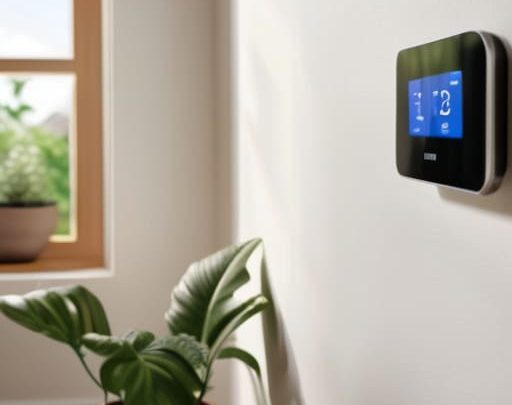
I spent three weeks last year trying to “smartify” my home office, only to end up staring at a flickering smart bulb and a voice assistant that refused to recognize my accent. It was a classic case of buying gadgets for the sake of novelty rather than utility. Most people approach how to choose tech for your home by reading flashy reviews or chasing the latest shiny object, but that’s a fast track to a cluttered house and a frustratingly complex life. If a piece of hardware requires a manual thicker than my vintage synthesizer guides just to turn on a light, it isn’t “smart”—it’s just more work.

I’m not here to sell you on the latest ecosystem or convince you that you need a connected toaster. My goal is to help you strip away the digital noise and focus on tools that actually buy you back your time. I’ll show you how to evaluate devices based on their ability to reduce friction, not add to it. We’re going to look at compatibility, reliability, and, most importantly, whether the tech serves you or if you’ve become a servant to your own house. Let’s get to work.

Table of Contents

Defining Essential Home Technology for Beginners

Defining Essential Home Technology for Beginners.

Before you go out and buy every gadget that promises to make your life easier, you need to draw a line in the sand. Most people make the mistake of buying “cool” tech that ends up becoming just another chore to manage. To avoid this, start by identifying your actual pain points. Are you tired of walking around to turn off every light? Do you constantly forget if you locked the front door? Focus on essential home technology for beginners that addresses these specific frictions rather than chasing shiny objects.

Once you’ve identified your needs, the real work begins: looking under the hood. You don’t want a house full of devices that refuse to talk to one another. This is where smart home ecosystem compatibility becomes your best friend. Whether you lean toward Apple, Google, or Amazon, ensure your new additions play well with the systems you already use. If a device requires five different apps just to function, it’s not a tool; it’s a distraction. Keep it simple, keep it integrated, and for heaven’s sake, keep it useful.

Smart Home Ecosystem Compatibility Without the Headache

Smart Home Ecosystem Compatibility Without the Headache

Here is where most people trip up. They buy a brilliant smart bulb, a high-end thermostat, and a sleek security camera, only to realize three weeks later that none of them actually talk to each other. You end up with a dozen different apps cluttering your phone, which is exactly the kind of friction I’m trying to help you avoid. When you’re evaluating smart home connectivity standards, don’t get bogged down in the technical jargon. Just look for a common language. Whether it’s Matter, Zigbee, or Thread, ensure the devices you’re eyeing can play nicely within a single framework.

My rule of thumb is simple: pick a “brain” first—an ecosystem like Apple Home, Google Home, or Alexa—and then filter every subsequent purchase through that lens. This approach makes integrating smart devices with existing tech a matter of a few taps rather than a weekend-long troubleshooting nightmare. It’s about building a cohesive system, not a digital junk drawer. If a device requires its own proprietary bridge and a dedicated app just to turn on a light, leave it on the shelf. We’re looking for seamless utility, not more chores on your to-do list.

Five Rules for Buying Tech That Actually Works

  • Solve a friction point first. Before you buy a single gadget, identify one thing in your daily routine that annoys you. If it’s forgetting to lock the door or wasting time adjusting the thermostat, buy for that. If it doesn’t solve a specific problem, it’s just expensive clutter.
  • Prioritize “set and forget” over “cool factor.” I’ve seen too many people buy high-tech toys that require constant firmware updates and troubleshooting. If a device needs your attention every three days just to function, it’s not an automation—it’s a new chore.
  • Check the “offline” contingency. Ask yourself: “What happens to this device if my internet goes down?” If the answer is “it becomes a paperweight,” think twice. True utility means the lights still turn on and the locks still work even when the cloud is acting up.
  • Beware of the walled garden. It’s tempting to buy everything from one brand, but don’t let them trap you. Ensure your devices can talk to each other through standard protocols. You want a toolkit, not a subscription service you can’t escape.
  • Audit the “mental load” cost. Every new piece of tech adds a tiny bit of complexity to your brain. Before you hit ‘buy,’ decide if the time you save is actually worth the extra minute you’ll spend managing the app. If the math doesn’t add up, walk away.

The Golden Rule of Home Tech

If a device requires more than five minutes of troubleshooting to do its one job, it isn’t a tool—it’s a second job. Buy tech that buys you time, not tech that demands your attention.

Marcus Holloway

Cutting Through the Noise

Cutting Through the Noise of smart tech.

At the end of the day, building a smart home isn’t about collecting the latest gadgets or seeing how many lights you can control from your phone. It’s about utility. We’ve covered the groundwork: identify your actual pain points, ensure your devices actually talk to each other through a unified ecosystem, and avoid the trap of buying tech just because it’s trending. If a device adds more steps to your daily routine instead of removing them, it’s not an upgrade—it’s just digital clutter. Stick to the fundamentals of compatibility and purpose, and you’ll avoid the expensive headache of a fragmented system that requires constant troubleshooting.

I spent years in corporate operations watching people implement complex systems that only served to create more work. Don’t make that same mistake in your own living room. Your home should be your sanctuary, a place where the friction of life is minimized so you can actually breathe. Technology should be the invisible hand that smooths out the edges of your day, not a loud, demanding guest that needs your constant attention. Buy with intention, automate the mundane, and then get back to living your life. The best tech is the kind you eventually forget is even there.

Frequently Asked Questions

How much am I actually going to spend on this in the long run once you factor in subscriptions?

Here’s the reality: subscriptions are the silent killer of a smart home budget. You might save $50 on a gadget today, but if it requires a $10 monthly fee just to access its best features, you’re bleeding money. Before you buy, ask one question: “Can this function locally without a cloud subscription?” Aim for hardware that offers one-time purchases. If you can’t avoid the monthly fee, make sure the utility justifies the recurring drain.

Is this device going to work with the stuff I already own, or am I starting from scratch?

Before you pull the trigger on anything new, do a quick audit of what’s already on your shelves. Look for labels like “Matter” or “Thread”—those are your best friends for ensuring new gear plays nice with the old. If your current devices are locked into one specific brand’s walled garden, you’ve got a choice: stick to that ecosystem to save time, or start building a more flexible, platform-agnostic setup. Don’t build a digital graveyard.

How do I know if this tech is actually saving me time or just adding another app to my phone?

Ask yourself one question: Does this solve a recurring friction point, or am I just entertaining myself? If you have to open an app, wait for it to load, and navigate three menus just to turn on a light, you haven’t bought a tool—you’ve bought a chore. Real utility is invisible. If the tech requires more “management” than the manual version it replaced, put it back on the shelf. Stick to automation, not just remote control.

What happens to my data and my privacy once I bring these devices into my house?

Here’s the reality: once a device connects to your Wi-Fi, it starts talking. Some talk to you; others talk to a server halfway across the world. Most smart tech collects data—usage patterns, voice snippets, even floor plans—to “improve service,” which is corporate speak for harvesting info. If you want to minimize the footprint, stick to local control, audit your app permissions, and for heaven’s sake, change those default passwords immediately. Don’t trade your privacy for a lightbulb.

Posted on

Making a Career Pivot in Your 30s Without Losing Progress

Navigating a successful career change at 30.

I remember sitting in a windowless conference room during my tenth year in corporate operations, staring at a spreadsheet that felt like a slow death sentence. The air conditioning was humming a low, monotonous drone, and I realized I wasn’t just tired; I was fundamentally misaligned. Most people will tell you that a career change at 30 is a crisis or a reckless mid-life rebellion that you can’t afford. They’ll push expensive “discovery workshops” and vague mindfulness retreats to help you “find your passion.” Honestly? That’s a load of nonsense. Passion is a luxury; functional alignment is what you actually need to survive the next thirty years.

I’m not here to sell you on a dream or tell you to quit your job tomorrow without a plan. I’ve spent two decades navigating economic shifts and corporate restructuring, and I know that pivoting requires more than just willpower—it requires a system. In this guide, I’m going to strip away the fluff and give you a high-utility framework for transitioning your skills without nuking your bank account. We’re going to focus on the mechanics of the pivot: how to audit your current value, automate your networking, and build a bridge to a new role that actually fits.

Table of Contents

Cut the Noise Essential Mid Life Career Transition Tips

Cut the Noise Essential Mid Life Career Transition Tips

First, stop treating this like a total reset. One of the biggest mistakes I see is people thinking they have to burn their entire history to start something new. You aren’t starting from zero; you’re starting from experience. The secret lies in identifying your transferable skills for career switchers—the stuff like project management, stakeholder communication, or operational logic that works in any industry. If you can manage a budget or a team in finance, you can do it in tech or logistics. Focus on the utility of what you already know rather than the job title you used to hold.

Second, you need to audit your runway. Transitioning isn’t just about passion; it’s about logistics. I always tell my clients that financial planning for career changes is the difference between a calculated leap and a blind fall. Before you hand in your notice, build a “pivot fund” that covers at least six months of lean living. This isn’t about being paranoid; it’s about buying yourself the mental bandwidth to learn without the crushing weight of immediate survival anxiety. When you remove the panic, you make better decisions.

Audit Your Assets Identifying Transferable Skills for Career Switchers

Audit Your Assets Identifying Transferable Skills for Career Switchers

Most people approach a pivot by looking at their job title, which is a mistake. If you spent a decade in logistics, you aren’t just a “Logistics Manager”—you are an expert in resource allocation, bottleneck identification, and vendor management. When you’re starting a new career in your 30s, you have to stop thinking in terms of industry jargon and start thinking in terms of functional utility. I always tell my clients to strip away the corporate labels and look at the raw mechanics of what they actually do every day.

Grab that notebook I mentioned earlier and make two columns. On the left, list your daily tasks; on the right, translate them into universal capabilities. “Managing a team of ten” becomes “cross-functional leadership.” “Optimizing supply chains” becomes “process improvement and systems design.” This is the core of effective transferable skills for career switchers. It’s about identifying the high-value levers you know how to pull, regardless of the industry context. If you can prove you can solve a problem, the specific sector becomes secondary. Don’t sell yourself short by staying stuck in the narrow definitions of your past roles.

The Tactical Playbook: Five Moves to De-Risk Your Pivot

  • Stop treating your resume like a history book. At 30, nobody cares about your entry-level internship from a decade ago; they care about the problems you can solve today. Rebuild your professional narrative around outcomes and high-value skills, not just a chronological list of titles.
  • Build a “Bridge Network” before you actually need it. Don’t just blast LinkedIn with “I’m looking for a change.” Reach out to people doing the job you want and ask about their workflows. Real intelligence comes from the friction of actual conversations, not a job description.
  • Treat your transition like a side project, not a leap of faith. Use your current stability to fund your pivot. Take the certification, do the freelance gig, or build the portfolio on the weekends. You want to move toward a new career, not run away from an old one.
  • Master the art of the “Low-Stakes Test.” Before you quit your job and commit to a new industry, try to solve a small problem in that field. Whether it’s a weekend project or a consulting gig, you need to feel the actual texture of the work before you bet your mortgage on it.
  • Automate your job search logistics. Searching for work is a second job, and if you don’t manage it, it will bleed your mental bandwidth dry. Set up strict alerts, use a simple spreadsheet to track follow-ups, and give yourself a hard “stop time” every day. Don’t let the hunt become your new identity.

The Real Cost of Staying Put

Most people treat a career pivot at thirty like a mid-life crisis, but it’s actually just a necessary system upgrade. You aren’t starting from scratch; you’re finally starting with enough data to stop guessing and start building something that actually scales with your life.

Marcus Holloway

The Bottom Line

The Bottom Line: redeploying career capital.

At this stage, a career pivot isn’t about starting from zero; it’s about redeploying your existing capital. We’ve covered the necessity of cutting through the noise, the importance of a brutal audit of your transferable skills, and how to build systems that support a transition rather than just dreaming about one. You don’t need a brand-new identity to move into a new industry; you just need to translate your value into a language your target market understands. Stop treating your past experience like a sunk cost and start treating it like the foundation it actually is.

Look, I’ve spent enough time in boardrooms to know that most people spend their lives waiting for the “perfect” moment to pivot. It doesn’t exist. There is only the decision to move and the discipline to keep moving. You have more leverage now than you did in your early twenties because you actually know how the world works. Don’t let the fear of a messy transition keep you stuck in a role that drains your bandwidth. Build the system, make the move, and reclaim your time. The friction is temporary; the regret of staying put is permanent.

Frequently Asked Questions

How do I handle the financial dip if my new career path starts at an entry-level salary?

Don’t panic, but do prepare. You can’t fuel a pivot on hope alone. First, build a “runway” fund—six months of bare-bones expenses—before you pull the trigger. Second, ruthlessly audit your current overhead. Cut the subscriptions and the lifestyle creep that no longer serves your new reality. Treat this dip like a temporary operational deficit in a business restructuring. It’s not a failure; it’s the cost of retooling for long-term solvency.

Is it actually possible to catch up on lost seniority, or am I permanently behind?

You aren’t behind; you’re just recalibrating. The idea of “lost seniority” assumes a linear track that doesn’t exist in the real world. I’ve seen people jump industries and bypass years of middle management simply because they brought high-level operational maturity to a new field. You aren’t starting from zero; you’re starting from experience. Stop mourning the years you “lost” and start leveraging the perspective you gained. That’s where your real leverage lies.

How do I explain a massive pivot on my resume without looking like I lacked direction?

Stop trying to hide the pivot; it makes you look defensive. Instead, frame it as a strategic evolution. Your resume shouldn’t be a chronological list of everything you’ve ever done; it should be a curated argument for why your past makes you uniquely qualified for your future. Use a “Summary of Qualifications” at the top to bridge the gap. Connect the dots for the recruiter so they don’t have to guess your intent.

Should I go back to school for a formal degree, or is targeted certification enough to get me through the door?

Look, don’t let the “sunk cost fallacy” dictate your next move. Unless you’re pivoting into a heavily regulated field like law or medicine, a fresh degree is usually a massive waste of time and capital. I’ve seen too many people drown in student debt trying to hit the reset button. Focus on targeted, high-signal certifications that prove you can do the work. Get the credential, build the portfolio, and get back to earning.

Posted on

Where Is Your Money Going? Identifying Budget-draining Expenses

Learning how to find hidden expenses.

I was sitting at my workbench last Tuesday, mid-repair on a vintage Moog, when I realized I’d been paying for a premium cloud storage subscription I hadn’t touched in eighteen months. It was a small amount, sure, but it was the principle of the thing—that mindless, digital friction eating away at my margins. Most “financial gurus” will tell you that you need a complex, multi-layered spreadsheet or a high-priced consultant to figure out how to find hidden expenses, but that’s just more noise. They want to sell you a system that requires more maintenance than the problem it’s supposed to solve.

I’m not here to give you a lecture on austerity or a complicated roadmap of banking jargon. Instead, I’m going to show you how to automate your audit so you can stop leaking cash without spending your entire weekend staring at bank statements. I’ll share the exact, low-friction methods I use to strip away the fluff and reclaim my mental bandwidth. Let’s cut through the clutter, find where your money is actually going, and get back to what matters.

Table of Contents

Analyzing Bank Statements for Leaks

Analyzing Bank Statements for Leaks.

Grab a cup of coffee and open your banking app. Don’t just glance at your balance; that’s a rookie mistake. To actually make progress, you need to sit down and perform a manual sweep of the last three months of transactions. I’ve found that digital dashboards often gloss over the small, recurring hits that actually erode your margins. You’re looking for uncovering phantom expenses—those $9.99 charges for services you haven’t touched since last Christmas. If you can’t immediately name the service associated with a charge, it’s a prime candidate for the chopping block.

As you scroll, pay close attention to the gradual upward drift in your discretionary categories. This is the classic trap of identifying lifestyle creep. It rarely happens through one massive, reckless purchase; instead, it’s a slow accumulation of “upgraded” versions of things you already have—better coffee, premium delivery fees, or more frequent convenience buys. Treat this like an operational audit. If a transaction doesn’t provide a measurable return on your happiness or your productivity, it’s just friction. Once you spot these leaks, don’t just note them—kill them immediately.

Uncovering Phantom Expenses in Your Digital Trail

Uncovering Phantom Expenses in Your Digital Trail

Once you’ve combed through the raw data of your bank statements, it’s time to look at the digital ghosts haunting your accounts. We aren’t just talking about a forgotten gym membership; we’re talking about the “micro-drain”—those $4.99 or $9.99 charges that slip through the cracks because they feel insignificant. Uncovering phantom expenses requires a different lens than a standard audit. You have to look for the recurring patterns that don’t actually serve your current lifestyle. I often find that people are identifying lifestyle creep not through massive purchases, but through a slow accumulation of premium tiers and automated renewals that were “convenient” six months ago but are now just clutter.

To tackle this, I recommend a quick digital sweep of your app store subscriptions and email receipts. Most of us are guilty of signing up for a “free trial” that transitioned into a paid service without a single notification. Don’t just look at the dollar amount; look at the utility. If you haven’t opened that specific app or used that service in the last thirty days, it’s dead weight. My rule is simple: if it doesn’t provide immediate, measurable value, cut the cord immediately. Automation is great for growth, but it’s a disaster when it’s automating waste.

Five Ways to Stop the Bleeding

  • Audit your recurring subscriptions with a “zero-base” mindset. If you haven’t used a service in the last 30 days, kill it. Don’t keep it “just in case”—that’s a tax on your future self.
  • Scrutinize your “convenience fees.” Those $3 charges for digital delivery or service premiums add up to hundreds a year. If you can’t automate the saving, you’re just paying for laziness you didn’t need to buy.
  • Look for “zombie” memberships. Gyms, professional associations, or niche magazines you signed up for during a phase of life that has already passed. If it’s not serving your current goals, it’s friction.
  • Check your insurance premiums and utility rates annually. Companies rely on inertia; they’ll keep hiking your rates as long as you don’t bother to look. Spend thirty minutes calling for a better rate—it’s the highest hourly return you’ll get all month.
  • Track the “micro-leaks.” Those daily $5 impulse buys or premium coffee runs don’t feel like much in the moment, but they are the silent killers of a lean budget. Note them in your notebook for one week to see the true damage.

## The Cost of Inattention

“Most people don’t go broke from one massive purchase; they bleed out from a thousand tiny, automated cuts they forgot they even authorized. If you aren’t actively auditing your outflows, you aren’t managing your money—you’re just watching it disappear.”

Marcus Holloway

The Path to Frictionless Finances

The Path to Frictionless Finances via budgeting.

At this point, you’ve done the heavy lifting. You’ve combed through the bank statements, hunted down those phantom digital subscriptions, and identified exactly where your hard-earned money is leaking out of your ecosystem. It’s rarely the big, dramatic purchases that derail a budget; it’s the slow, silent erosion caused by automated payments for services you no longer use. Now that you’ve mapped the damage, your next move is simple: don’t just observe the leaks, plug them. Go through your apps, cancel the junk, and set up a system that alerts you before a trial turns into a permanent bill.

Cleaning up your finances isn’t about deprivation or living a life of strict austerity; it’s about reclaiming your agency. Every dollar you stop wasting on mindless friction is a dollar you can redirect toward something that actually provides value—whether that’s a better meal, a new piece of gear, or simply the peace of mind that comes with a healthy margin. Stop letting your money drift away on autopilot. Take control of the flow, simplify your systems, and start spending your resources on the things that actually matter.

Frequently Asked Questions

How do I distinguish between a legitimate recurring service I actually use and a "phantom" expense I've simply forgotten about?

The easiest way to tell is to run the “utility test.” Look at the charge and ask: If this service disappeared tomorrow, would my life actually get harder, or would I just feel a slight sense of inconvenience? If you can’t name a specific task it performs or a specific joy it brings, it’s a phantom. Don’t let nostalgia or “what if” justify a line item. If it isn’t adding value, kill it.

Is it worth the time to manually audit every transaction, or should I just use an app to automate the heavy lifting?

Look, I’m a big believer in automation, but don’t outsource your awareness entirely to an app. Use the tech to do the heavy lifting—sorting, categorizing, and flagging—but you need to perform a manual “sanity check” once a month. Apps are great at catching recurring subscriptions, but they’re terrible at judging whether a $50 impulse buy actually added value to your life. Automate the grunt work; manually audit the intent.

What’s the most efficient way to handle "zombie" subscriptions that make it difficult to cancel through the website?

When a company makes cancellation a labyrinth, stop playing their game. If the “cancel” button is hidden behind five layers of menus, don’t waste your evening clicking through them. Instead, go straight to the source: your bank. Most modern banking apps allow you to revoke merchant permissions or block recurring ACH transfers directly. If that fails, send a single, formal cancellation email to their support address. It creates a paper trail. Stop fighting their UI; just cut the digital cord.

Once I find these leaks, how do I set up a system to ensure they don't start creeping back into my budget next month?

Finding the leaks is only half the battle; keeping them plugged is where most people fail. Don’t rely on willpower—it’s a finite resource. Instead, build a system of guardrails. Set up automated alerts for any transaction over a specific threshold and use a dedicated “buffer” account for recurring subscriptions. If you can’t automate the oversight, at least schedule a ten-minute monthly audit in your calendar. Treat it like a maintenance check on a vintage synth: small, regular adjustments prevent total system failure.

Posted on

Lunchtime Upgrades: Better Alternatives to Sad Desk Salads

Healthy quick lunch ideas for work.

I’ve spent most of my career sitting in glass-walled conference rooms, watching talented people burn through their mental energy by mid-afternoon. The culprit usually isn’t the workload; it’s the decision fatigue that sets in when you realize you have nothing prepared for midday. We treat lunch like an afterthought, a chaotic scramble between meetings that leaves us either starving or slumped over a pile of takeout containers. If you want to maintain your focus, you need to stop treating your nutrition like a secondary crisis and start looking for quick lunch ideas that actually serve your schedule rather than sabotaging it.

In this guide, I’m stripping away the culinary fluff to give you eight high-utility options. These aren’t elaborate recipes that require a culinary degree or an hour of prep; they are streamlined systems designed for maximum efficiency and minimal cleanup. I’ll show you how to assemble nutritious, satisfying meals in minutes so you can reclaim your break and get back to the work that actually matters. Let’s cut the noise and get to the utility.

Table of Contents

The Adult Lunchable

Charcuterie snack platter, The Adult Lunchable.

I call this the “no-cook contingency plan.” It’s essentially a curated selection of high-quality charcuterie, but without the pretension of a fancy board. Grab some sharp cheddar, a handful of almonds, some sliced deli turkey, and a few whole-grain crackers. It requires zero heat and almost zero cleanup, which is exactly what you need when your morning meetings run over.

The Mason Jar Salad

Layered ingredients in The Mason Jar Salad.

Most people hate salads because they end up as a soggy, wilted mess by noon. If you want to do this right, you have to respect the layering logic. Put your heavy dressings and hearty vegetables—think chickpeas, cucumbers, or carrots—at the very bottom. Your greens go at the very top, far away from the moisture, so they stay crisp and fresh until you’re ready to shake it all up.

The Five-Minute Grain Bowl

Quickly prepare The Five-Minute Grain Bowl.

You don’t need to be a chef to master the grain bowl; you just need to be a smart shopper. I keep a stash of pre-cooked, vacuum-sealed quinoa or brown rice in my pantry. Toss a pouch into a bowl, add a handful of baby spinach, some canned black beans, and a dollop of store-bought salsa. It’s minimalist fuel at its finest.

High-Protein Avocado Toast

Let’s be honest: toast is a bit of a cliché, but it works because it’s incredibly efficient. To turn this from a breakfast item into a legitimate lunch, you need to increase the protein profile. Top your sourdough with mashed avocado, but then add a hard-boiled egg or a layer of smoked salmon to give it some substance.

The Mediterranean Wrap

Wraps are the ultimate portable meal for anyone who isn’t tethered to a desk. Use a large whole-wheat tortilla and spread a thick layer of hummus across the surface—this acts as your structural adhesive. Pile on some feta cheese, sliced olives, and pre-washed arugula, then roll it up tight.

Rotisserie Chicken Shortcuts

If you want to eat like a person who actually has time to live, buy a rotisserie chicken every Sunday. It is the most cost-effective hack in the grocery store. Shred the meat while it’s still warm and divide it into containers for the week. You now have a high-quality protein base for almost any quick meal.

The Tuna and White Bean Mash

This is my go-to when I need something that feels “real” but requires no stove or microwave. Mix a can of tuna with a can of rinsed cannellini beans, a splash of olive oil, and some dried oregano. The beans add the complex carbohydrates and fiber that tuna alone lacks, making it a much more stable energy source.

Overnight Oats (The Savory Pivot)

We usually think of oats as a sweet breakfast, but if you’re looking for a quick lunch, the savory route is a game-changer. Prepare your oats with water or broth instead of milk, and skip the cinnamon and honey. Instead, stir in some nutritional yeast, salt, and pepper.

The Cost of Decision Fatigue

“A lunch break shouldn’t be another project on your to-do list. If you’re spending twenty minutes deciding what to eat, you’ve already lost the afternoon. Build a system for your midday meal so your brain can stay focused on the work that actually moves the needle.”

Marcus Holloway

The Bottom Line

At the end of the day, these eight options aren’t about becoming a gourmet chef; they are about eliminating decision fatigue. Whether you’re leaning on the assembly-line simplicity of a grain bowl or the zero-prep utility of a high-quality deli wrap, the goal remains the same: fuel your body without draining your mental battery. By standardizing your midday meal, you stop treating lunch like a problem to be solved and start treating it as a functional reset. Stop letting the question of “what should I eat?” hijack your focus during your most productive hours.

I spent years in the corporate grind watching people burn out because they couldn’t manage the small, friction-filled moments of their day. We often think we need massive lifestyle overhauls to find balance, but real efficiency is found in these small, automated wins. Use these ideas to build a repeatable system that works for you. Once you reclaim that hour from the chaos of meal planning and cleanup, you’ll realize that time is the only currency that actually matters. Now, go get back to what you were actually supposed to be doing.

Frequently Asked Questions

How do I keep these meals from getting soggy if I'm prepping them a day or two in advance?

The secret is structural separation. Never let your dressings or wet ingredients touch your base until you’re ready to eat. I use small, reusable containers for vinaigrettes or sauces and keep them separate from greens or grains. If you’re prepping salads, put the heavy, moisture-resistant items like chickpeas or cucumbers at the bottom and the delicate leaves at the top. It’s a small adjustment that eliminates the mush and saves your lunch.

What’s the most efficient way to shop for these ingredients without spending my entire Sunday in the grocery aisles?

Stop treating grocery shopping like a weekend hobby. If you want your Sunday back, use a digital list app and shop by aisle, not by item. Better yet, batch your orders. Pick one day a week, use a single online grocery service to grab everything on your list, and have it delivered. It costs a few extra dollars, but you’re buying back your time. That’s the real ROI.

Can I adapt these ideas for a limited setup, like if I only have access to a microwave and a kettle at my desk?

Absolutely. In fact, I prefer it. Constraints breed efficiency. If you’re limited to a kettle and a microwave, stop looking for recipes and start looking for components. Think couscous or instant oats for the kettle; pre-cooked grains or frozen veggie medleys for the microwave. It’s about assembly, not cooking. You aren’t running a bistro; you’re fueling a machine. Keep the footprint small, the cleanup zero, and the utility high.

How do I balance these quick options with actual nutritional value so I don't crash by 3:00 PM?

The 3:00 PM crash is almost always a glucose spike followed by a hard landing. To avoid it, stop treating “quick” as an excuse for “empty.” Every meal needs a structural foundation: protein, healthy fats, and fiber. If you’re grabbing a wrap, ensure there’s actual chicken or chickpeas inside, not just flour and sauce. Think of food as fuel for your cognitive bandwidth. If it lacks substance, it’s just a distraction.